Capabilities and workflows
When to use: Bind knowledge bases, tools, skills, and MCP, or organize multi-step work in a workflow.
Path: Left instances → target instance → Edit / capability settings → choose resources → save.
- Test resources independently in the Resource Center first.
- Bind knowledge bases, tools, skills, MCP, or prompts.
- Save, then run a representative task.
- On failure, check resource status, permissions, credentials, and instance bindings.
Done when: the instance calls the configured capabilities as expected.
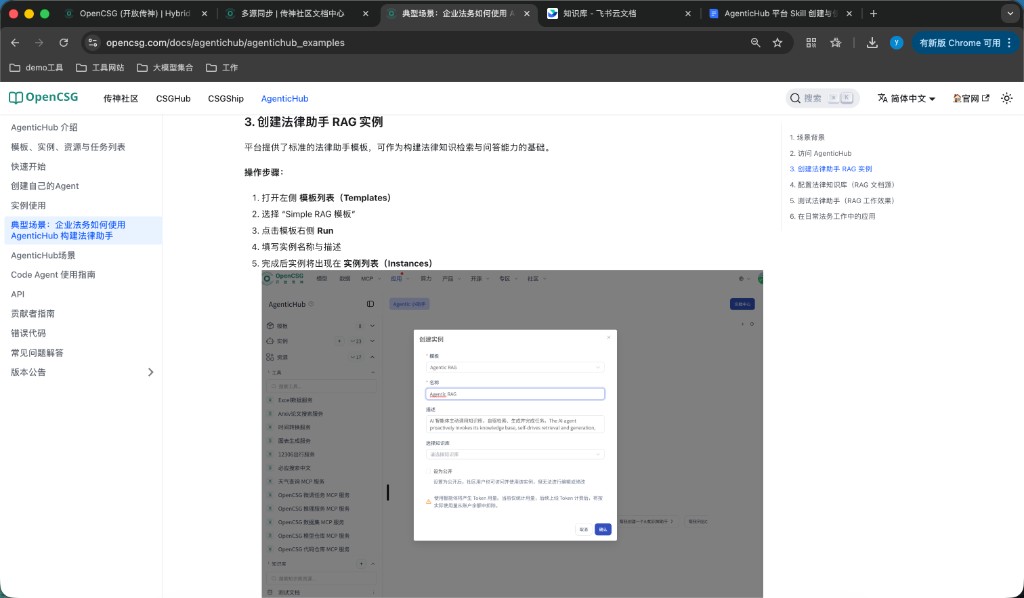
Workflow orchestration and publish
- Outline inputs, outputs, steps, errors, and stop conditions.
- Add nodes, connect them, and configure parameters, branches, loops, and variables.
- Debug with representative data and inspect each node.
- Retest happy and error paths, publish, then run one post-publish regression.
Done when: the workflow is published and test output is correct.
Principles