Model and context
This page covers model selection and context management so the same agent stays reliable and cost-effective across tasks. Layout follows your console; common controls are the model dropdown and send area at the bottom of the main chat—see Main screen.
Voice input for prompts
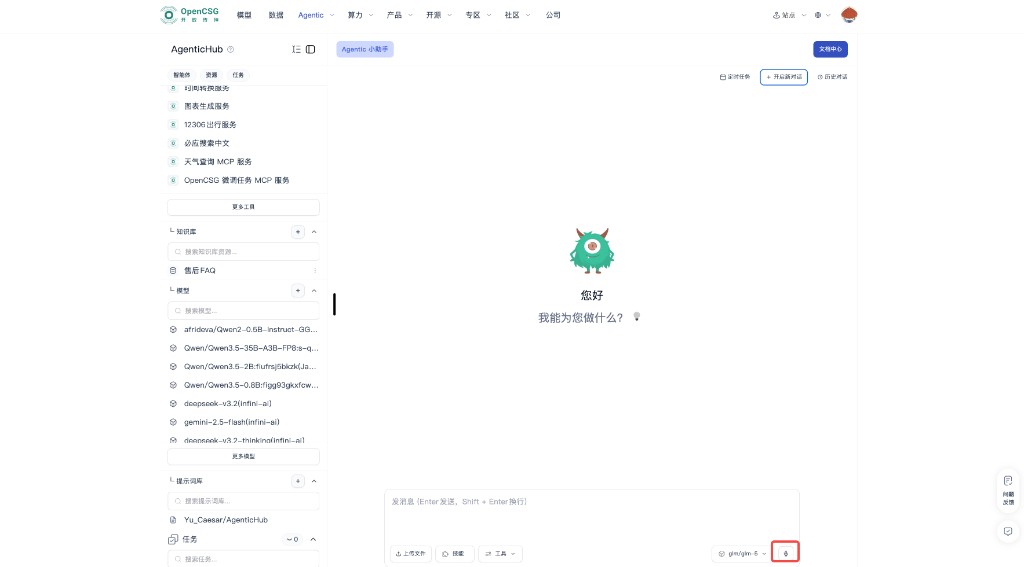
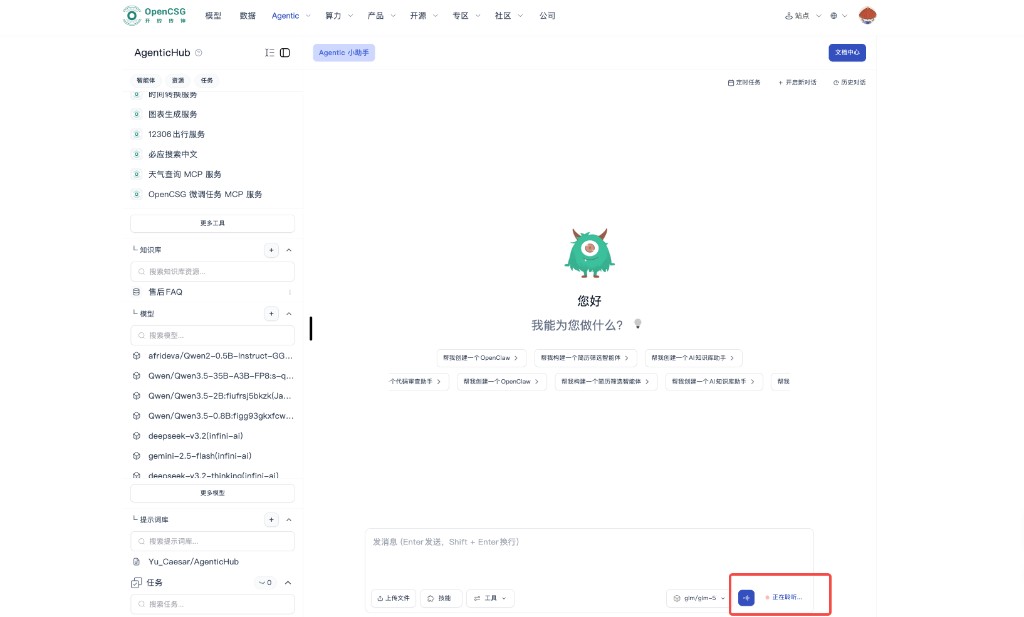
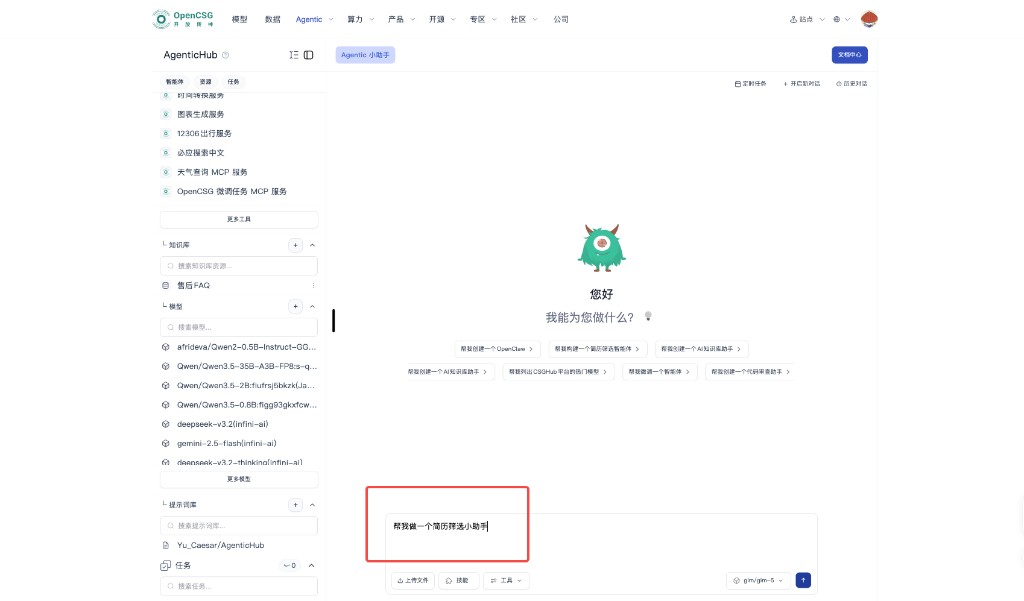
Besides typing, use the microphone on the right side of the bottom input bar (next to the current model tag) to dictate your prompt. After you tap it, the UI shows a listening state (e.g. Listening…). Speech is converted to text in the input box; edit if needed, pick a model, then send—same flow as typed messages (Enter to send, Shift+Enter for newline). Allow the browser to use the microphone; in noisy environments or when recognition is uncertain, review the text before sending.
Choosing the base model
Models differ in reasoning depth, style, speed, and billing. AgenticHub lets you switch models before sending, so you can use lighter options in exploration and stronger ones in production batches.
Dimensions to compare
- Task difficulty — For clear rules and structured input, a faster, cheaper model may suffice for a first pass; for complex reasoning, long chains, or messy input, use a stronger model.
- Latency and concurrency — Favor low latency for live reading; for offline batches, quality and per-token cost may matter more.
- Output shape — Tables, code, and long summaries behave differently; after a switch, regression-test with a fixed set of examples before rollout.
After you switch models
- Run a fixed set of test inputs; compare output structure, refusal behavior, and hallucination tendency.
- If an instance or workflow has a default model, check whether a chat override affects only the current session or also saved config—follow product behavior.
Chat and context
Context is what the model “remembers” in the thread. Well-written, well-managed context saves work in multi-turn chat; poor management causes confused references or stale conclusions.
Multi-turn habits
- When referring to earlier points, briefly restate or number them; avoid vague “that” / “the above” references.
- If several sub-topics run in one thread, use short headings to segment before details to reduce cross-talk.
Split large tasks
- Break one huge ask into steps: align scope, design structure, draft, then review.
- For resume screening, align JD hard terms and output columns in one pass before scoring each resume, so the model does not score before the rubric is set.
Agentic assistant vs. instances
- The Agentic assistant is a built-in general agent: the same session can do everyday Q&A, writing, search, and analysis, and when needed guide creation of dedicated agents and resources—so context is not only about building instances. Instance chat is usually tighter to a fixed persona and tool chain for execution. Model choice can differ; your team can agree when to explore in the assistant vs. execute in an instance to reduce policy drift.
New chat and history
When to use new chat
- The goal fully changes from A to B, or you test a conflicting rule set—New conversation drops old context.
- If the model clings to abandoned assumptions, a new thread is often faster than long patches.
What history is for
- Review past Q&A with the assistant or an instance, reuse phrasing, or trace misconfiguration.
- Before export or sharing, redact or truncate private fields.
Boundary with long-term memory
- Preferences and conclusions that must span sessions should use product long-term memory or stable text in resources—not every line in history is carried forward automatically.
Prompt management
Prompts pin task wording cheaply. Besides pasting in chat, the product often supports prompt repos or fragments tied to the Prompt library on the left—see Resources and Knowledge base and RAG.
Habits
- Keep frequent openers, scoring rules, table headers, and forbidden zones as short blocks for one-click insert or library pick.
- For major policy changes, record reason and effective date for HR or admin alignment.
Team use
- Shared instance or template: prompt changes affect everyone—pilot in a small group and announce in a team channel.
- If multiple policy tracks exist, name them, e.g. trial vs. production, to avoid mix-ups.
With model switching
- The same prompt can behave differently per model; after a switch, re-validate with standard samples before locking as default.