License Import Guide
Please follow the steps below to import the license
1. Log in to CSGHub as an administrator
- Default administrator username:
root - Password: randomly generated during installation. Retrieve it according to your deployment method:
- Docker deployment:
docker exec -it csghub-omnibus cat /etc/csghub/init_root_password— see the Docker deployment guide - Kubernetes deployment:
kubectl get secret -n csghub csghub-casdoor-init -o jsonpath='{.data.INIT_ADMIN_PASSWORD}' | base64 -d— see the Kubernetes deployment guide
- Docker deployment:
2. Access the Admin Backend
- Click on the avatar in the top right corner of the page
- Select Admin Backend from the dropdown menu
3. Navigate to the Certificate Management Page
- In the left navigation bar, select Certificate Configuration > Certificate Management to enter the certificate management page.
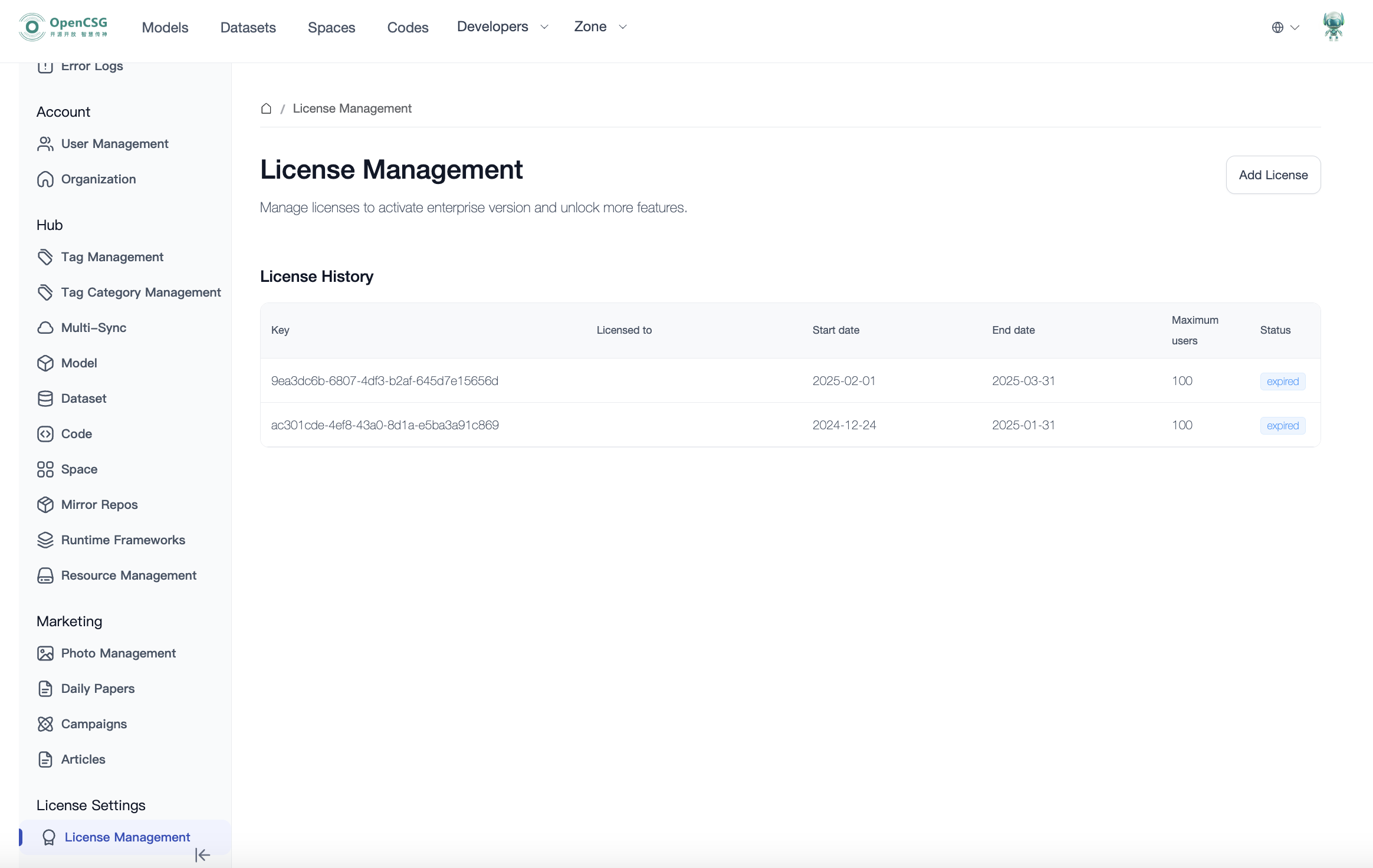
4. Go to the Certificate Upload Page
- Click the Add Certificate button to enter the certificate upload page.
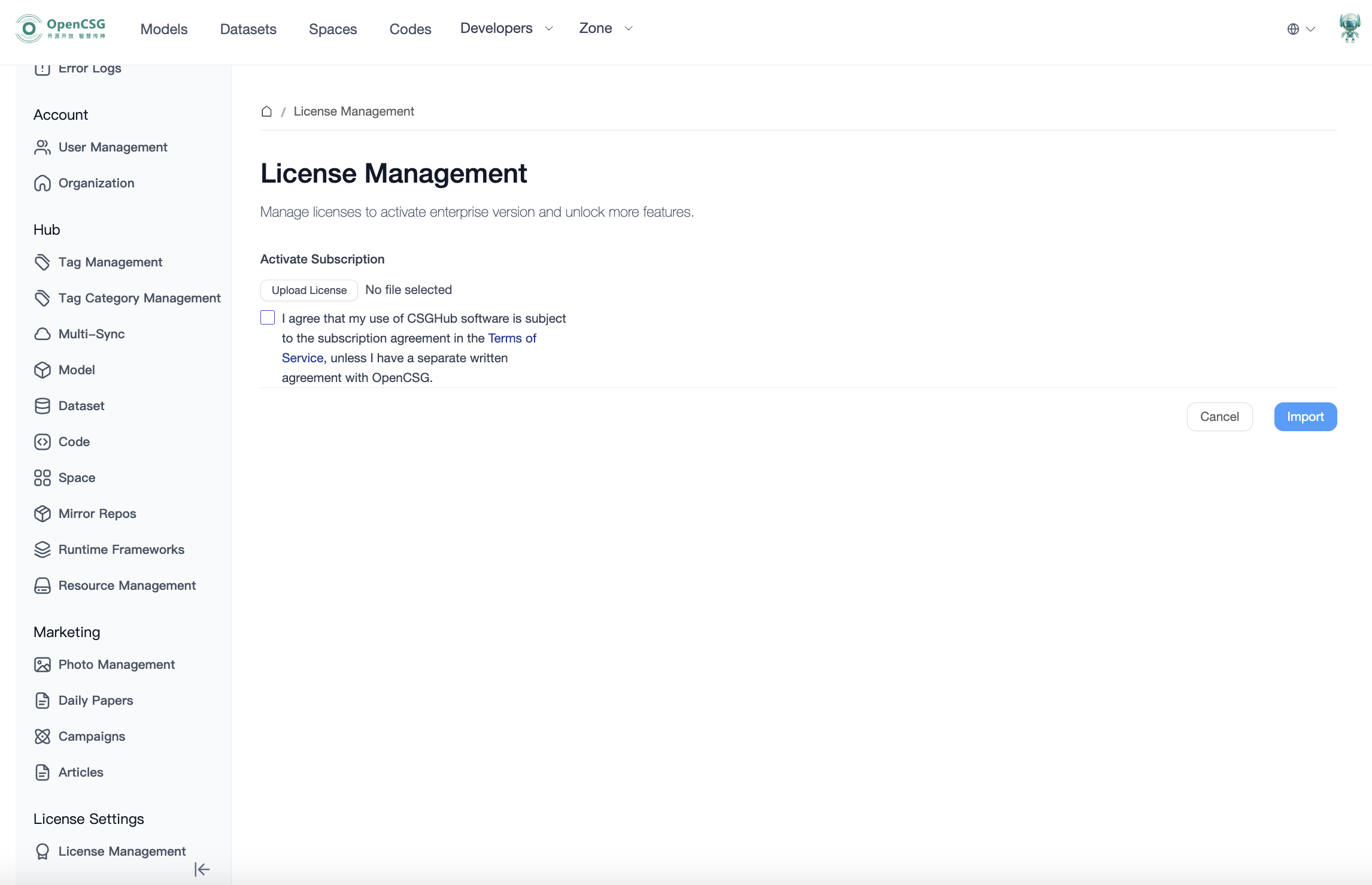
5. Upload the License File
- Click Upload Certificate, and in the popup file selection window, choose the prepared license file.
- After importing the license file, you can view the license information.
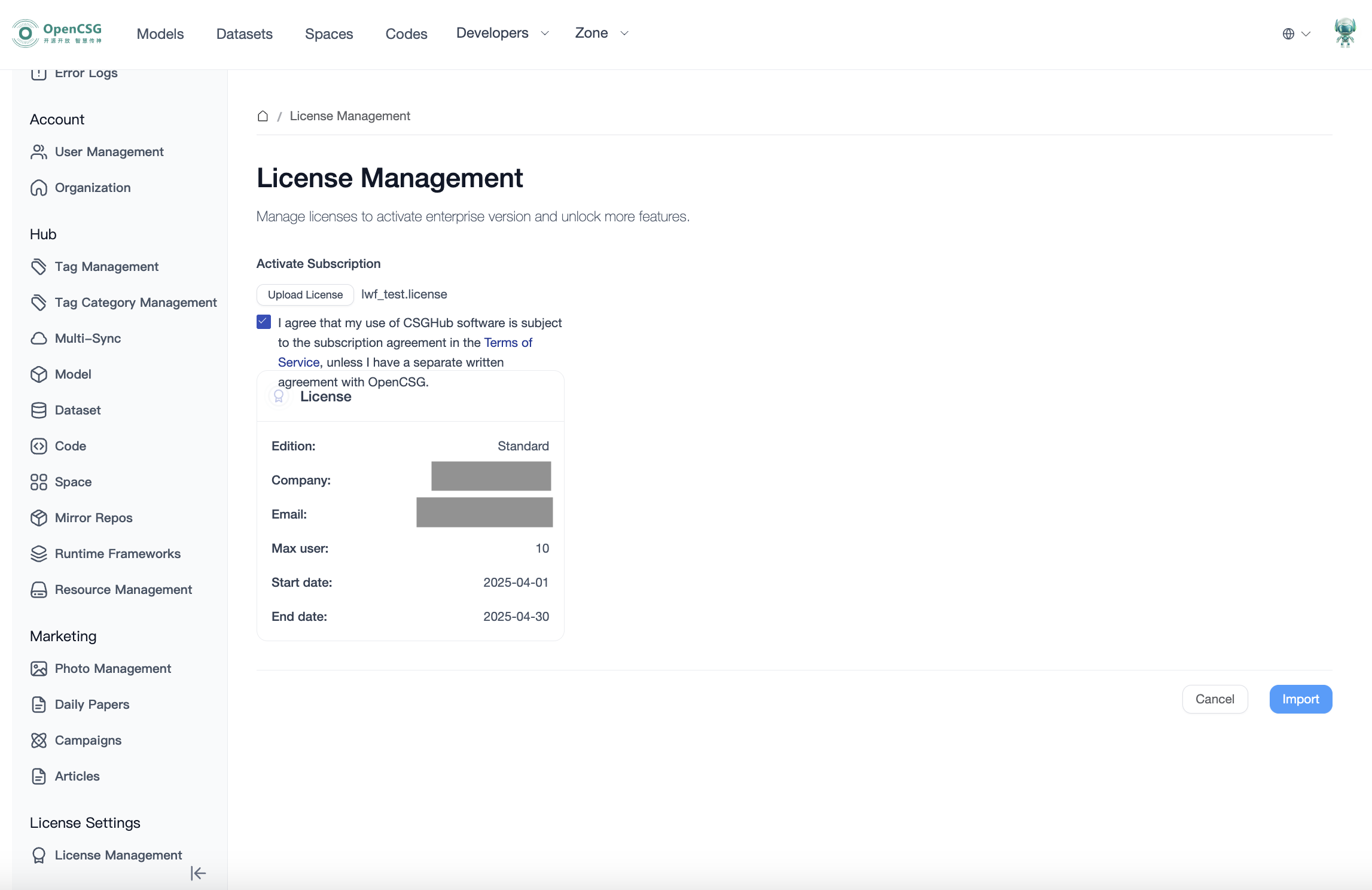
6. Confirm the Terms of Service and Import the Certificate
- Check "I agree that my use of CSGHub software is subject to the subscription agreement in the Terms of Service, unless I have a separate written agreement with OpenCSG."
- Click the Import button to complete the license import.
Notes:
- Please ensure you are using an administrator account to perform this operation, ensuring you have sufficient permissions for certificate management.
- Check the Terms of Service before performing the import to ensure compliance with relevant agreements and regulations.