Knowledge base and RAG
This section describes RAG in AgenticHub: how to connect team or org documents to a knowledge base so the agent retrieves first, then generates, anchoring answers in controlled material. RAG = Retrieval-Augmented Generation. The legal-assistant example below is illustrative; HR, R&D, support, operations, and others can mount their own knowledge and templates.
What RAG in AgenticHub can do
- Grounded Q&A and drafting: on policies, handbooks, specs, FAQs, tickets, and similar, produce summaries, comparisons, and clause-finding, with traceable references where possible.
- Templates and instances — Often you create an instance from a RAG- or knowledge-aware template and bind a knowledge base in the wizard or instance settings. Chat runs in the instance; retrieval scope is set by the bound bases and permissions.
- Files and upload — One-off files in chat usually serve the current turn; content that feeds RAG indexing is generally maintained in Resources or knowledge management—per console.
- Limits — Quality depends on documents, chunking, and how questions are phrased; model output is not a professional or legal opinion—use human and compliance review for important calls.
Typical RAG path on the platform
Industry-agnostic; names follow production.
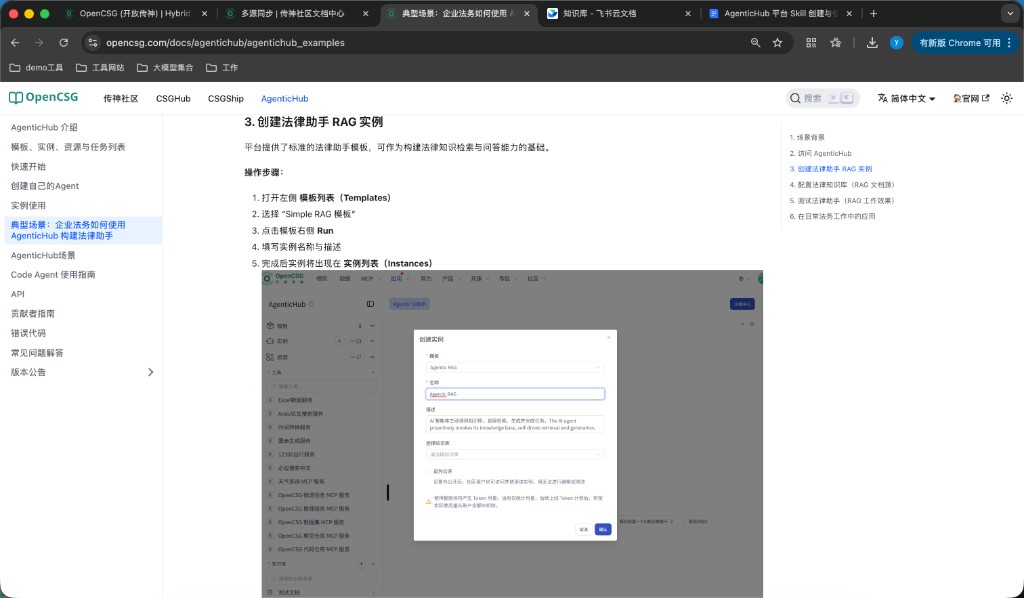
- Pick a template and create an instance — e.g. Agentic RAG, Simple RAG (or current names in the list); Run, fill name/description, bind a knowledge base.
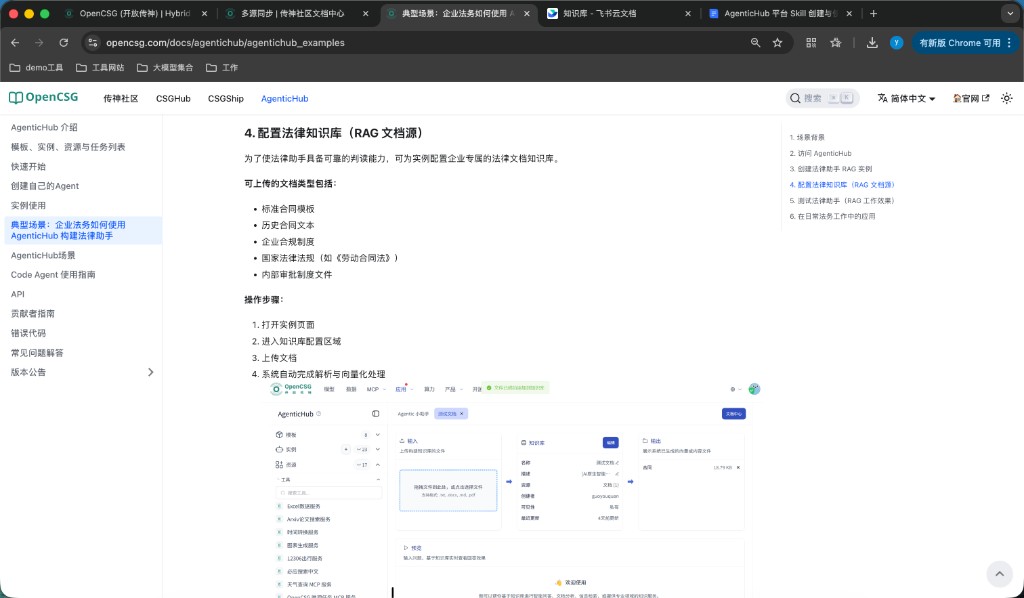
- Maintain documents — upload/update in the knowledge or document area; txt, docx, pdf, etc., per uploader. After parse and embedding, check success counts and visibility.
- Try, then use — use the base’s search or test query, then test in instance chat with real questions.
- Iterate — on doc changes, permission changes, or template upgrades, re-test and keep records per team process.
Example: a corporate legal “legal assistant” end to end
For illustration only; you can swap industry and questions.
1. Scenario (why RAG)
Example: legal needs to review contracts and regulations often and answer from internal rules and contract inventory—RAG over private corpora, less manual search.
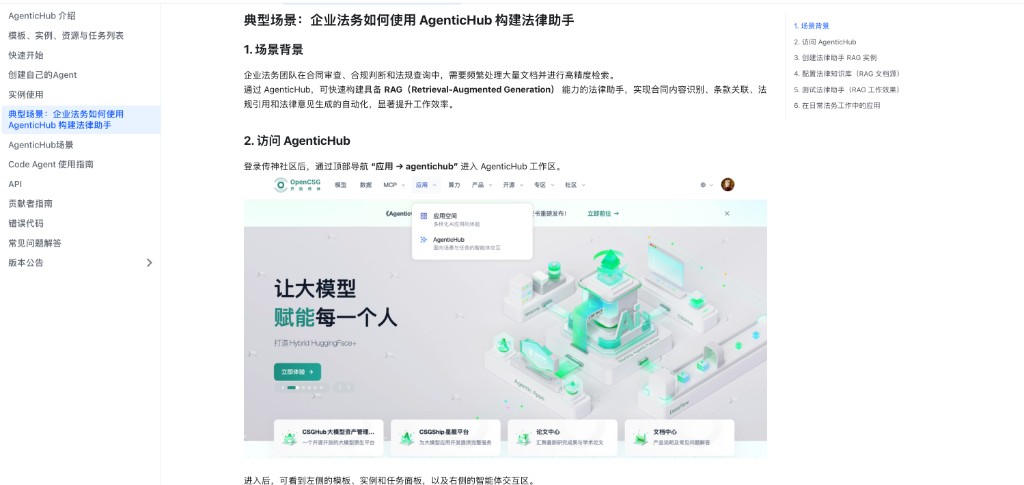
2. Open AgenticHub
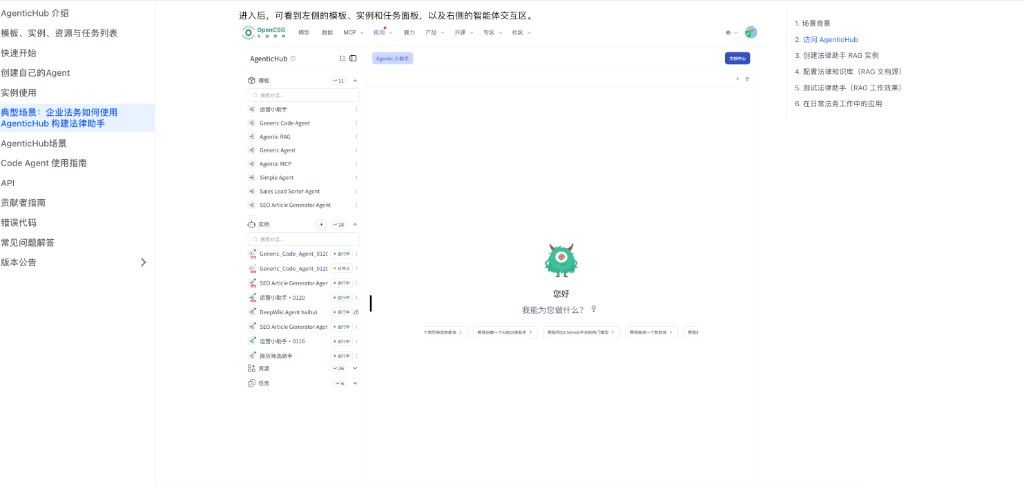
From OpenCSG, open AgenticHub via the app entry; main UI: left Templates / Instances / Tasks, right Chat, same as the general path.
3. Create an instance with a knowledge base in this example
Choose Simple RAG or Agentic RAG (or current name), Run, set name, description, pick a knowledge base; instance appears in the list—same as step 1, example-specific names.
4. Configure legal-oriented sources in the example
Typical content: model contracts, past contracts, compliance policies, statute excerpts, internal approval rules—still: open Knowledge from instance or resources, upload, wait for parse/embedding, test search.
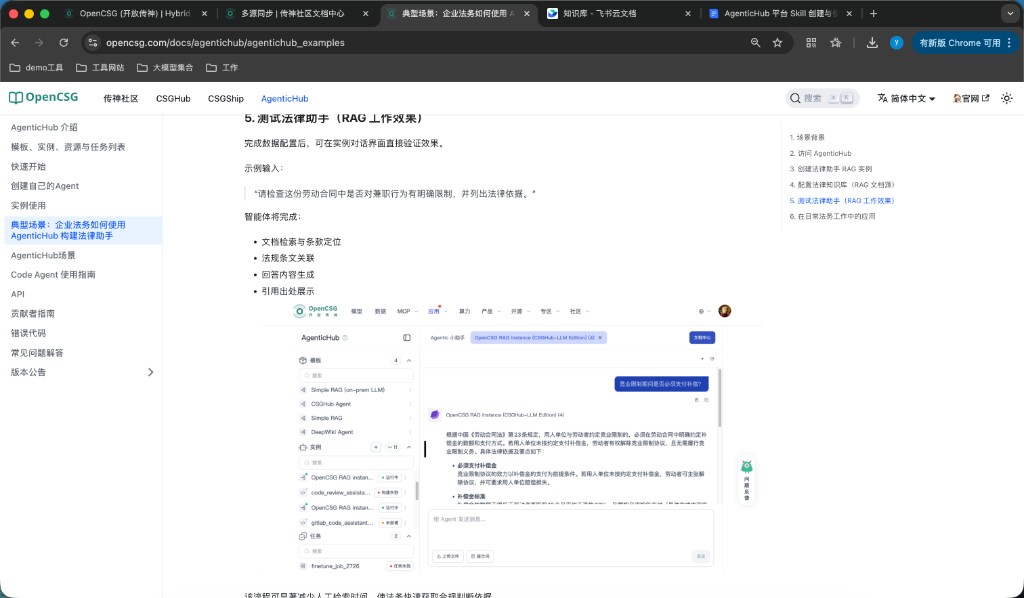
5. Test in chat
Example question:
In this labor contract, is there a clear restriction on side work, and what is the legal basis?
Expect: find clauses, link to legal text, answer with references; if not, check corpus and phrasing. Formal legal views still require qualified people.
6. Example day-to-day uses
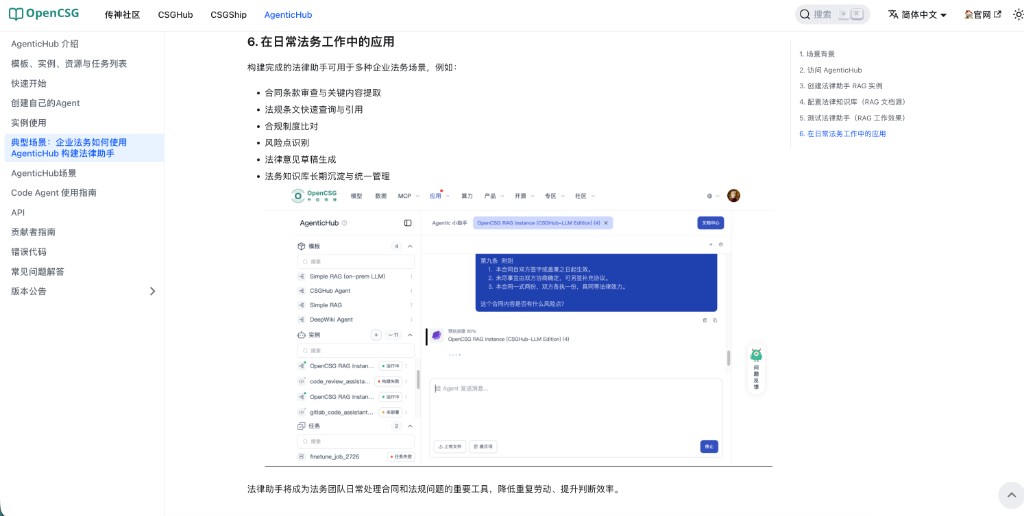
In this demo, the same instance can support clause review, quick statute lookup, policy comparison, first-pass risk, draft help, and long-lived KB—other teams adapt the list to their work.
Operations
- After master documents change, add/replace and re-test so indexes are not stale.
- If multiple versions coexist, use naming, folders, or metadata for precedence and time range to reduce contradictory hits.
- For conflicts, define a priority or version policy. Sensitive content still follows Files and upload and Data and compliance.