Update MCP Repository
File Editing
Local Editing
Users can use Git commands or the CSGHub SDK to download the repository locally for editing, and then upload it to the platform after completing the modification.
Web-Based Online Editing
Users can directly open and edit text files in the Web page, or directly delete files.

Repository Settings
Access Settings Page
Open the MCP repository you wish to configure, then navigate to the "Settings" page where you can perform deletion operations.
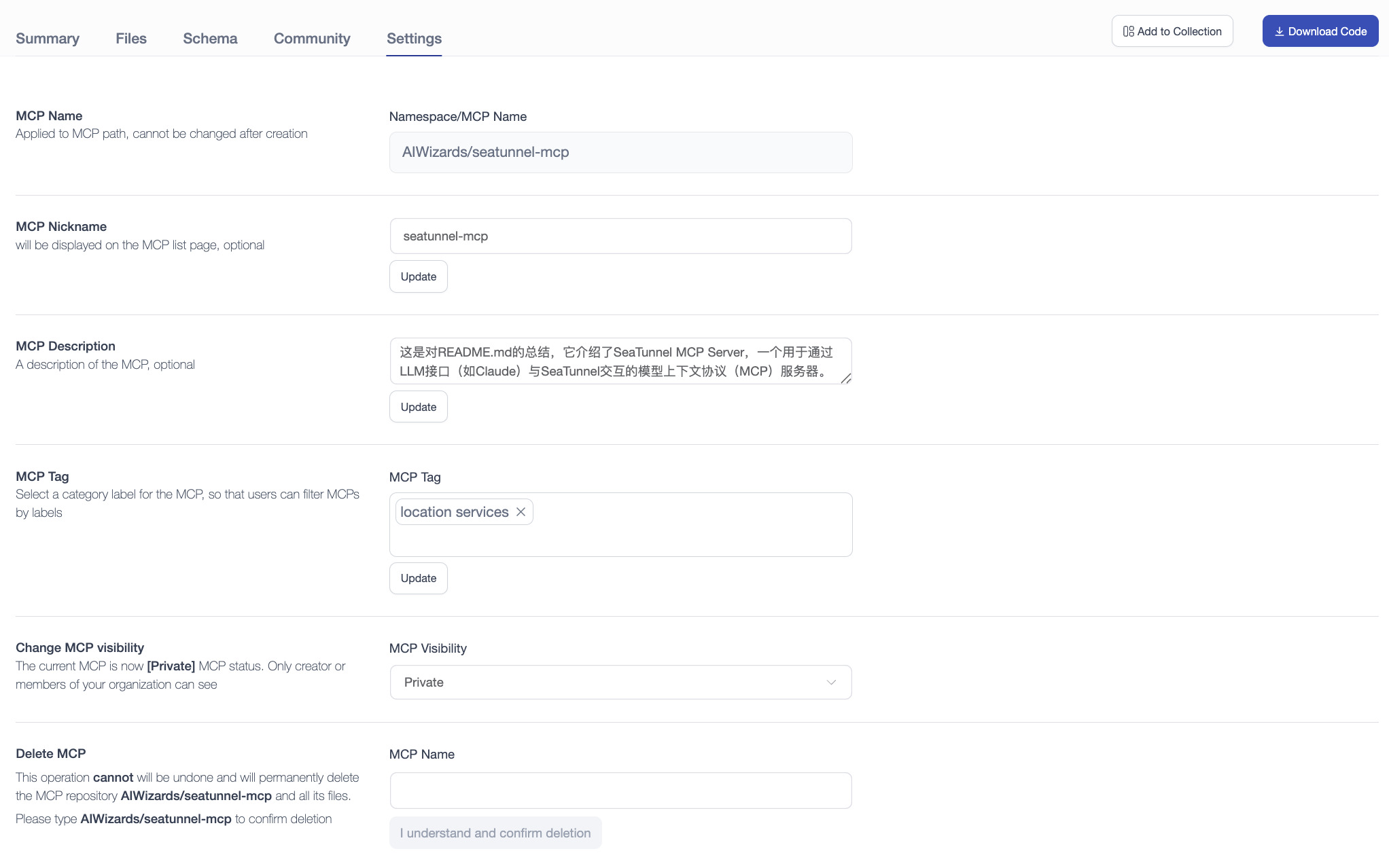
Update MCP Repository Information
-
Non-modifiable fields: Name
-
Modifiable fields: Alias, Description, Visibility, Tags
Transfer MCP Repository to Organization
Users can transfer personal MCP repositories directly to an organization they have joined:
- In the "Transfer MCP Repository" section, select the target organization from the dropdown menu.
- Enter the current MCP repository name to confirm.
- Click "Confirm Transfer". Once transferred, ownership belongs to the organization, allowing team members to collaboratively invoke and maintain the MCP.
Delete MCP Repository
Warning: When deleting an MCP repository, users must enter the exact name of the repository to confirm deletion. This action is irreversible - the repository and all its contents will be permanently deleted.