CSGClaw: quick start
Quick start
csgclaw onboard
csgclaw serve
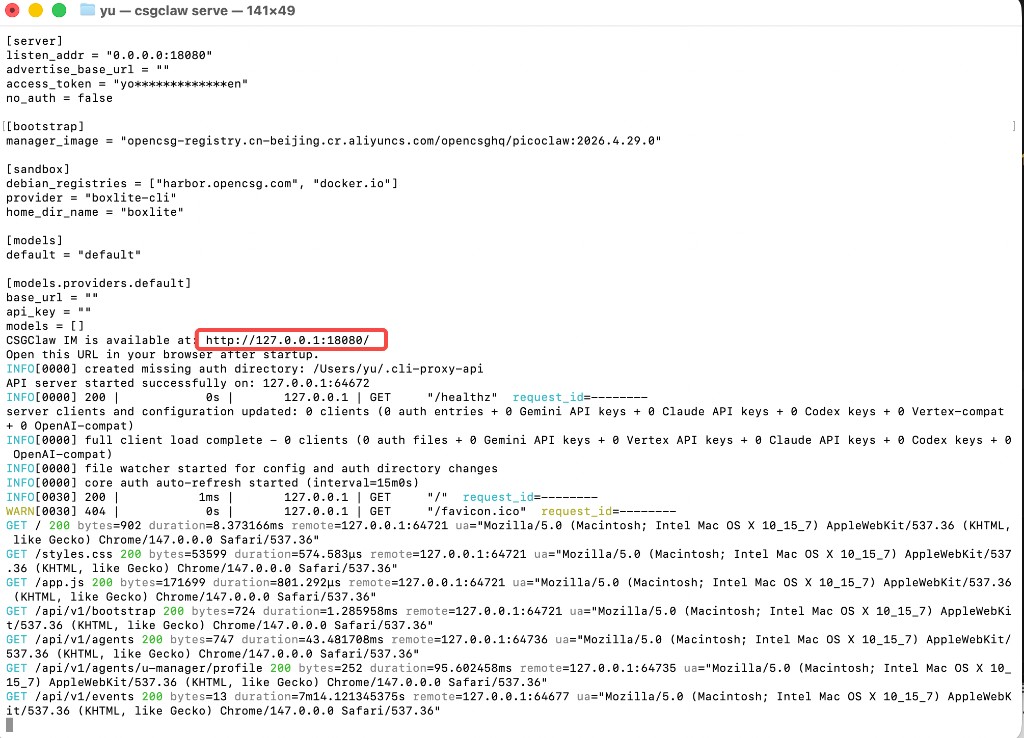
The CLI prints a URL (for example http://127.0.0.1:18080/). Open it in a browser to enter the IM workspace.
First launch: CSGClaw tries to auto-detect the Manager agent profile from CSGHub Lite, Codex, or Claude Code. If detection fails, the Web UI still works and opens the Manager profile panel so you can pick a provider and model.
After startup, the terminal usually shows where CSGClaw IM is available and prompts you to open it in a browser (your output may differ slightly):
Optional: local inference with CSGHub Lite
If you prefer to start a local OpenAI-compatible server first, then point csgclaw onboard at it:
- Start CSGHub Lite (example):
csghub-lite run Qwen/Qwen3-0.6B-GGUF
- Initialize config (interactive; can target
http://127.0.0.1:11435/v1and import models from/v1/models):
csgclaw onboard
- Start the local HTTP server:
csgclaw serve
- Open the URL printed in the terminal for the built-in IM workspace.
Run the server (foreground / daemon)
Foreground (keeps the terminal attached):
csgclaw serve
Background:
csgclaw serve --daemon
- Default log:
~/.csgclaw/server.log - Default PID:
~/.csgclaw/server.pid - Stop:
csgclaw stop
Non-interactive / scripts
csgclaw onboard --provider csghub-lite --models Qwen/Qwen3-0.6B-GGUF
Custom upstream:
csgclaw onboard --base-url <url> --api-key <key> --models <model[,model...]> [--reasoning-effort <effort>]
More flags: CLI.
Where config is written
csgclaw onboard writes local config (default ~/.csgclaw/config.toml) with server, bootstrap, sandbox, and channel settings. Model/provider profiles for agents live in agent state and are managed in the Web UI. Sandbox options, Worker overrides, and profile details: repo docs/config.md; field reference on this site: API & config.