Creating a Fine-Tuning Instance
Workflow Overview
When preparing to perform dedicated training on a specific model, you must first create a fine-tuning instance on the platform. This instance will allocate backend computing resources and automatically mount the model environment.
Navigate to the page of the base model you wish to fine-tune, and click the [Fine-tune Instance] button in the top right corner.
Note: If the "Fine-tune Instance" button is not visible on the model page, this feature is not currently supported for that specific model. Contact us if you have related requests.
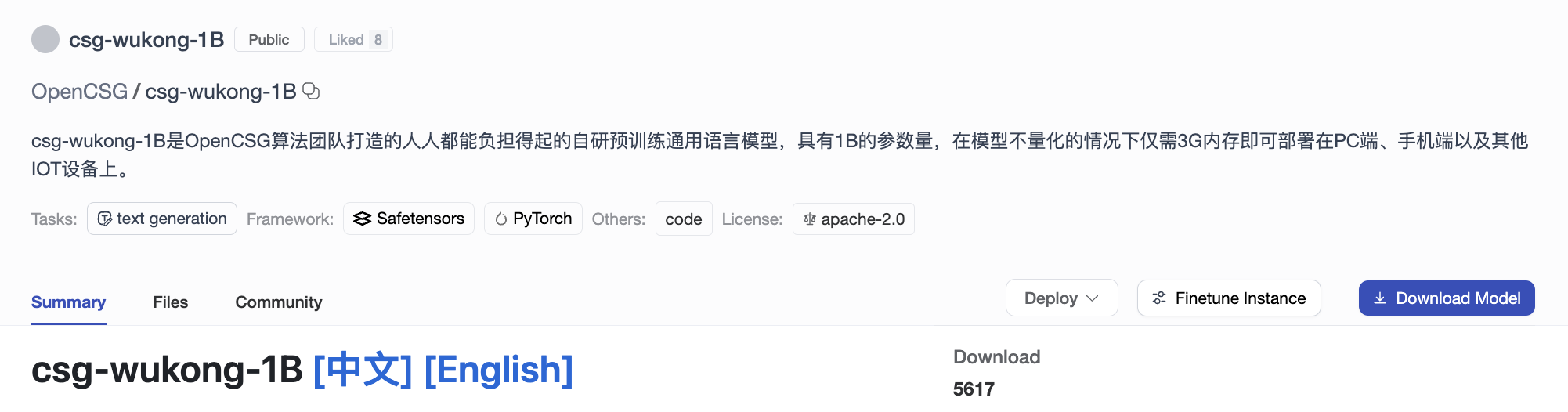
Filling out the Configuration
In the creation form, please configure the following parameters according to your needs:
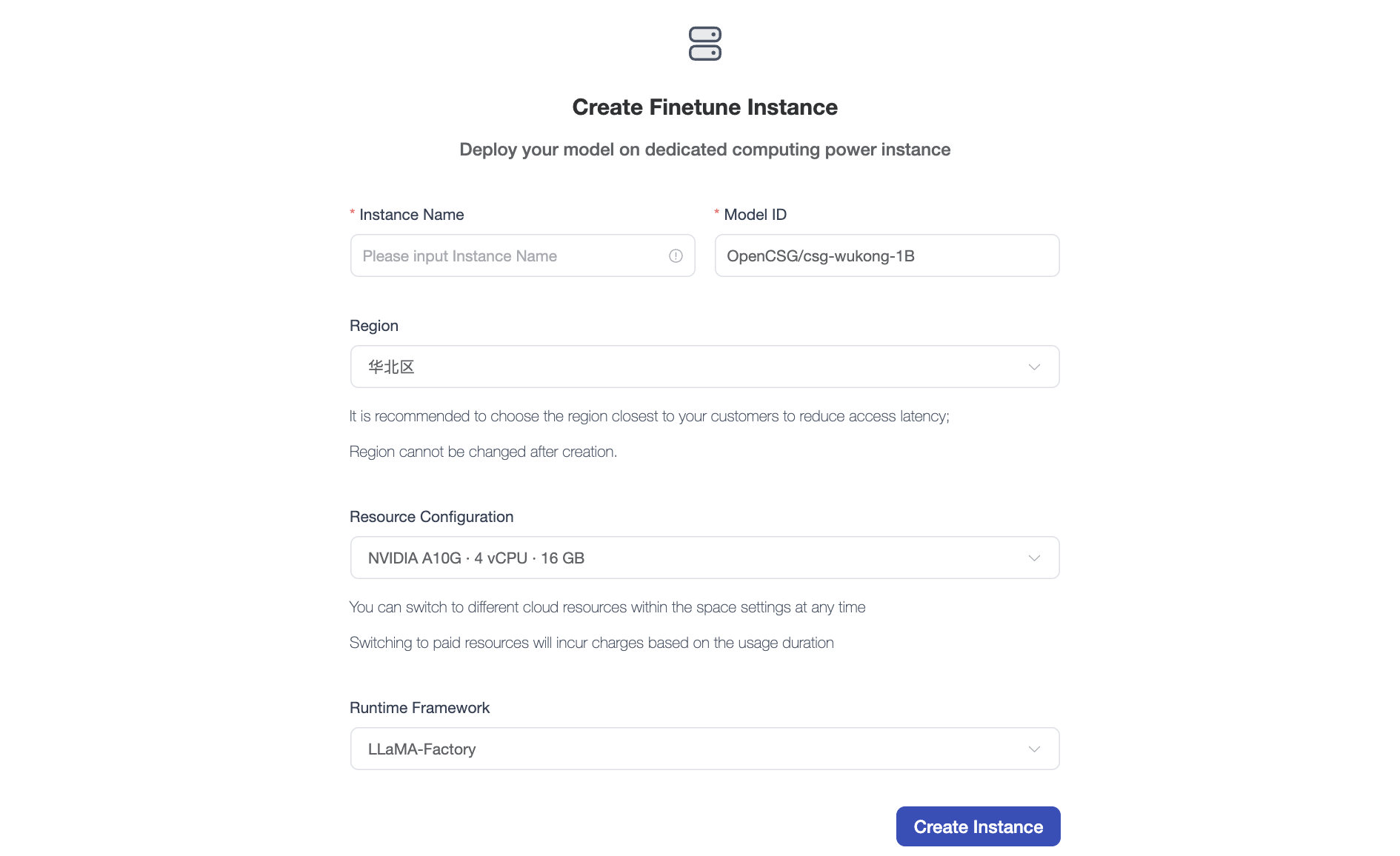
- Instance Name: Set a customized name that avoids duplicating historical records (e.g.,
llama3-medical-finetune). - Model ID: The system defaults to locking the model you are currently visiting.
- Region / Resource Config: Depending on the size of the model to be fine-tuned, select an appropriate GPU resource configuration.
- Runtime Framework: Choose a community-supported fine-tuning framework (such as
LLaMA-FactoryorMS-Swift).
Confirmation and Viewing
After verifying the configuration, click [Create Instance]. The system will allocate computing resources in the backend and boot up the instance environment.
You can click your avatar and navigate to [Profile -> Fine-Tuning Instances] to view the initialization progress in real time and manage active training tasks.