Using Model Evaluation
Evaluation Status
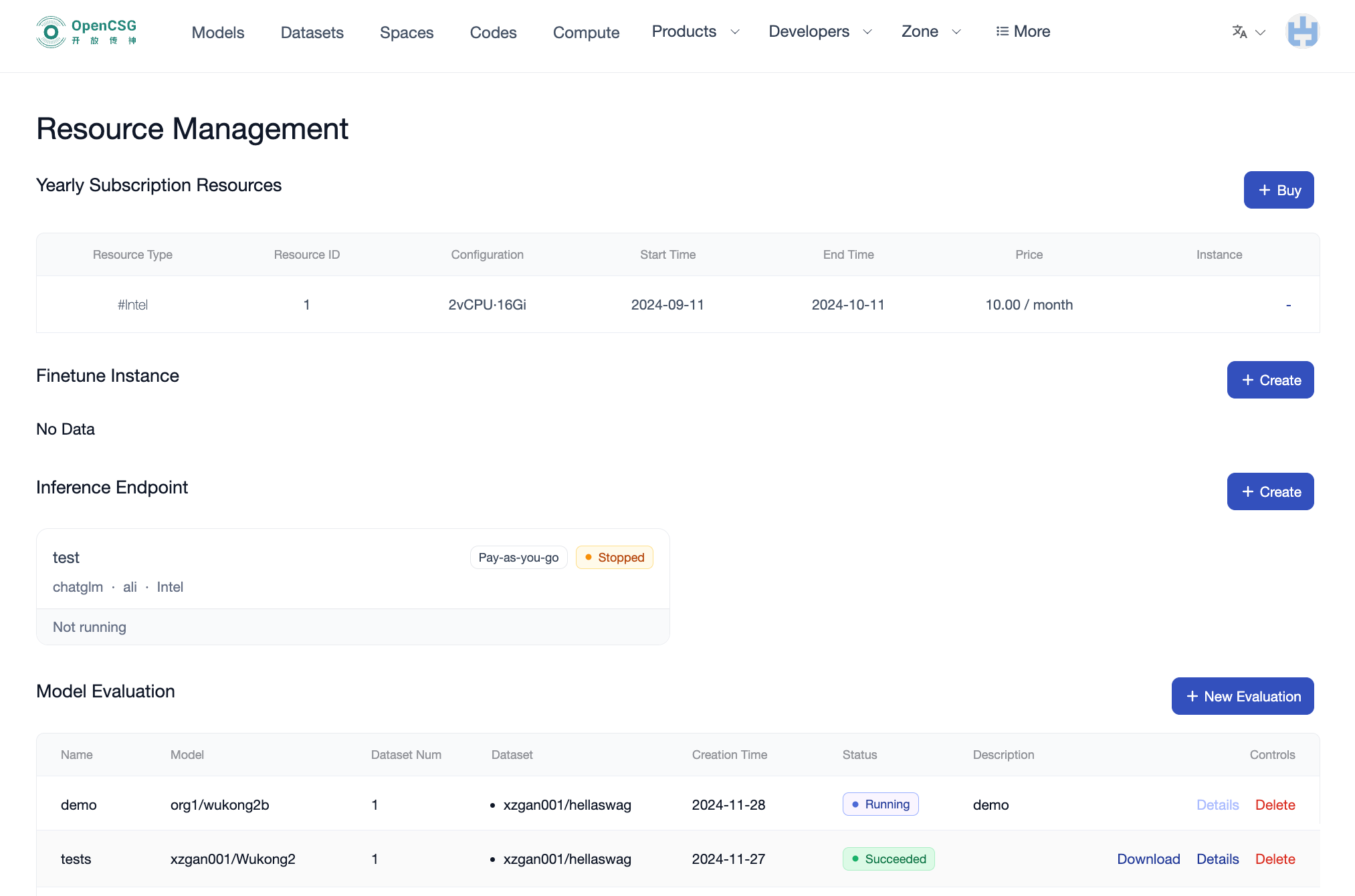
In the "Status" column of the evaluation task list, you can view the current status of each evaluation task:
- In Progress: The task has started running. At this stage, you cannot view details, but you can delete the task if needed.
- Completed: The evaluation is finished. You can click "Detail" to view detailed metrics and comparison results.
- Failed: The evaluation has failed; please inspect logs for specific error reasons.
Evaluation Details
In the list of completed evaluation tasks, click the "Detail" button to view detailed evaluation results.
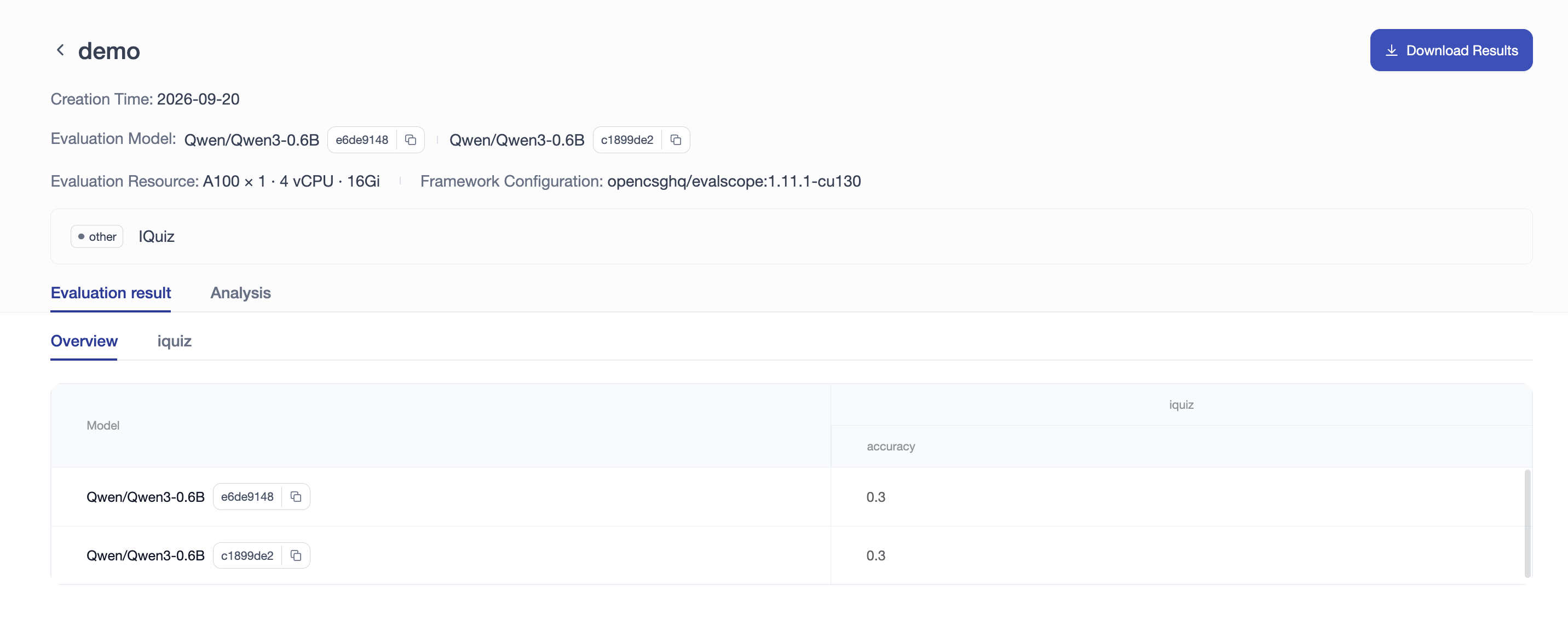
- Task Metadata Overview: The top section displays the creation time, evaluated model list with specific commit hashes, allocated compute resources (e.g., A100), and framework runtime version (e.g.,
opencsg/evalscope:1.11.1-cu130). - Multi-Model / Multi-Version Comparison: If multiple models or versions were added during task creation, the results table provides side-by-side metric comparison (such as accuracy scores) across each model or commit, highlighting performance differences across model variants or fine-tuning checkpoints.
- Per-Dataset Breakdown: Switch between the "Overview" and individual dataset tabs to inspect specific benchmark scores and metrics.
Download Results
Click the "Download Results" button in the upper right corner of the details page (or in the task list) to download raw evaluation result artifacts and logs.
Delete Task
In the list of completed evaluation tasks, click the "Delete" button to remove the evaluation task. This action cannot be undone, so please proceed with caution.