Creating a Model Evaluation Task
How to Create a Model Evaluation Task
In the model details page, click on "Model Evaluation". This will take you to the task creation page.
Note: Only certain models support the creation of evaluation tasks. If the model you want to use doesn't have the "Model Evaluation" option, please contact us.
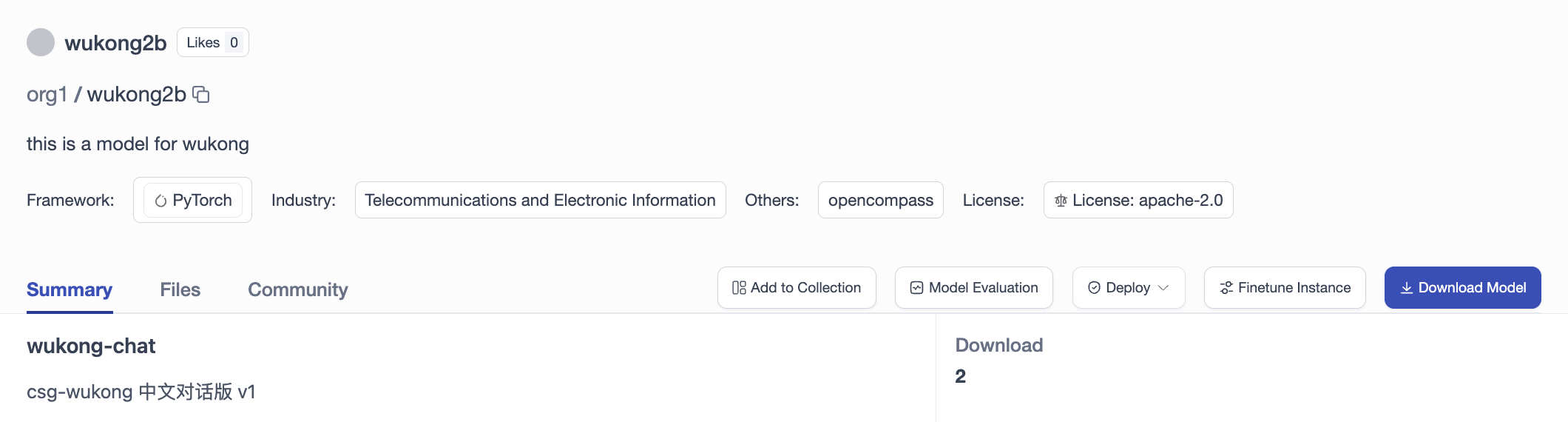
Task Creation Page
On the model evaluation task creation page, configure basic information, model versions, evaluation frameworks, and datasets, then click the "Create Evaluation" button to launch the task.
1. Basic Info & Model Version Configuration
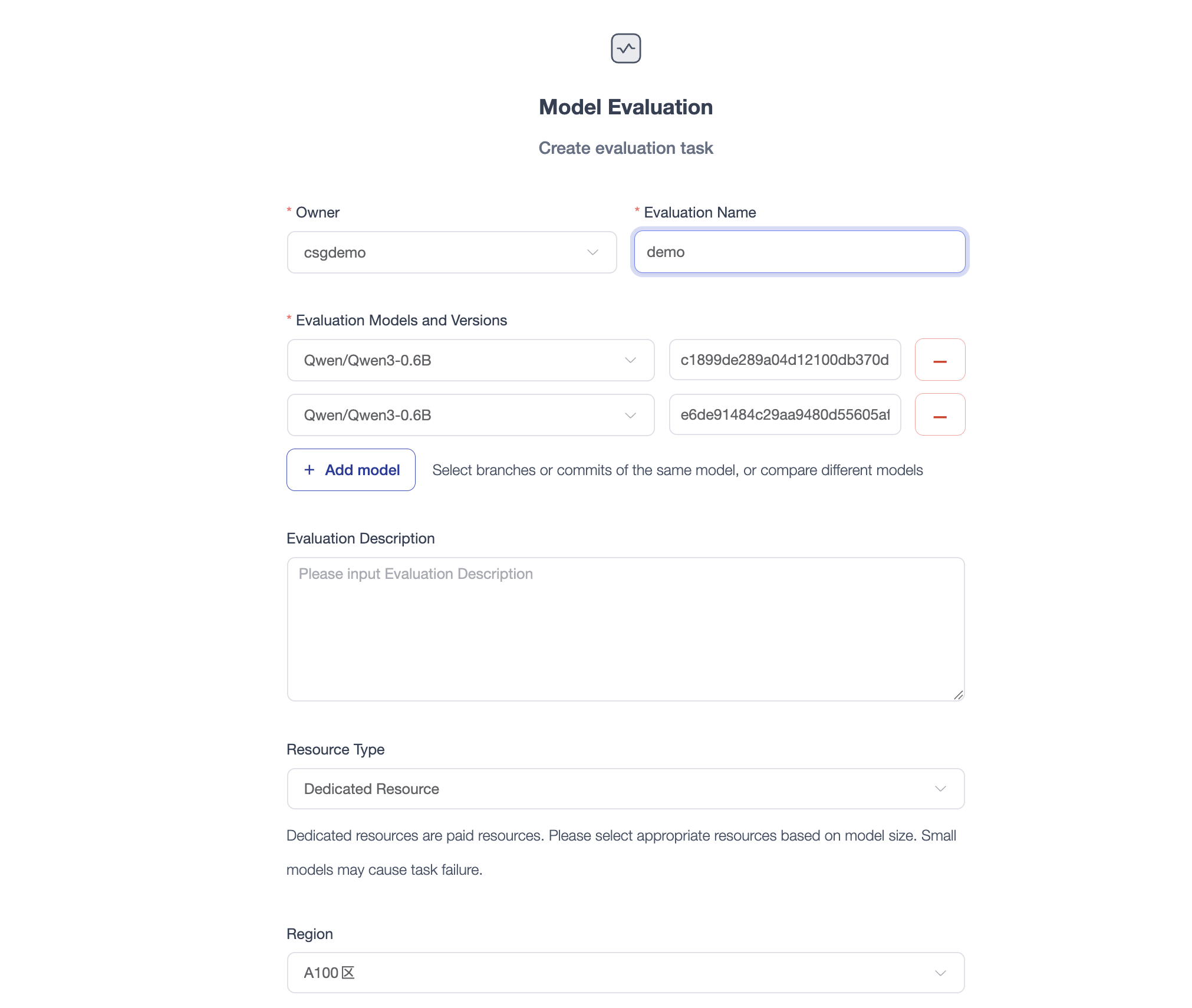
- Owner: Select your personal account or an organization as the task owner.
- Evaluation Name: Custom name for your evaluation task to easily identify it in the task list.
- Evaluation Models and Versions (Multi-Model / Multi-Version Comparison):
- Click the "+ Add model" button to add multiple models for cross-model capability benchmarking (e.g., comparing models of different architectures or parameter scales).
- Select different branches or commit hashes of the same model to evaluate performance improvements across training checkpoints or before/after fine-tuning.
- Click the red minus icon on the right to remove unwanted comparison items.
- Evaluation Description: Optional notes describing the evaluation objectives, experimental variables, or optimization notes.
- Resource Type & Region: Evaluation supports both shared and dedicated resources. Select the resource mode when creating the task. For dedicated resources, choose an appropriate compute resource region (e.g., A100 Region) based on the model size to ensure successful execution.
2. Framework & Dataset Configuration
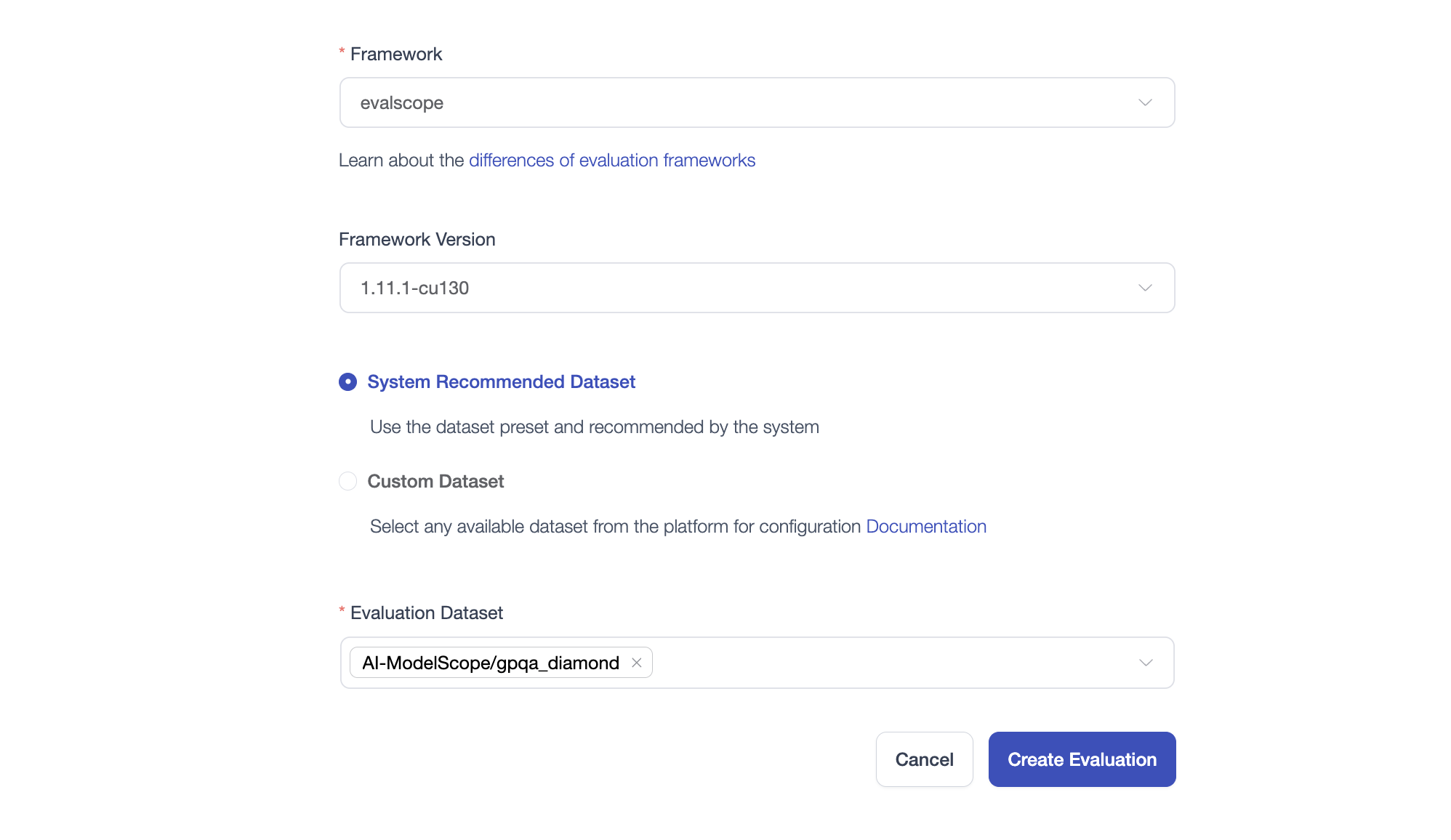
- Evaluation Framework & Version: Select an evaluation engine (such as
evalscope) and its corresponding framework runtime version (e.g.,1.11.1-cu130). - Evaluation Dataset:
- System Recommended Dataset: Use system-preset and validated standard benchmark datasets (such as IQuiz or GPQA) to quickly start standard evaluations.
- Custom Dataset: Choose any custom or private dataset available on the platform tailored to your specific business scenario.
Evaluation Task List
Once created, you can view all evaluation tasks and their running status under the "Model Evaluation" tab in your profile or organization page.