Update Code Repository
File Editing
Local Editing
Users can use Git commands or the CSGHub SDK to download the repository locally for editing, and then upload it to the platform after completing the modification.
Web-Based Online Editing
Users can directly open and edit text files in the Web page, or directly delete files.

Repository Settings
Open Setting Tab
Select the code repository you want to make changes, you can edit the basic information or delete the code in the Settings tab.
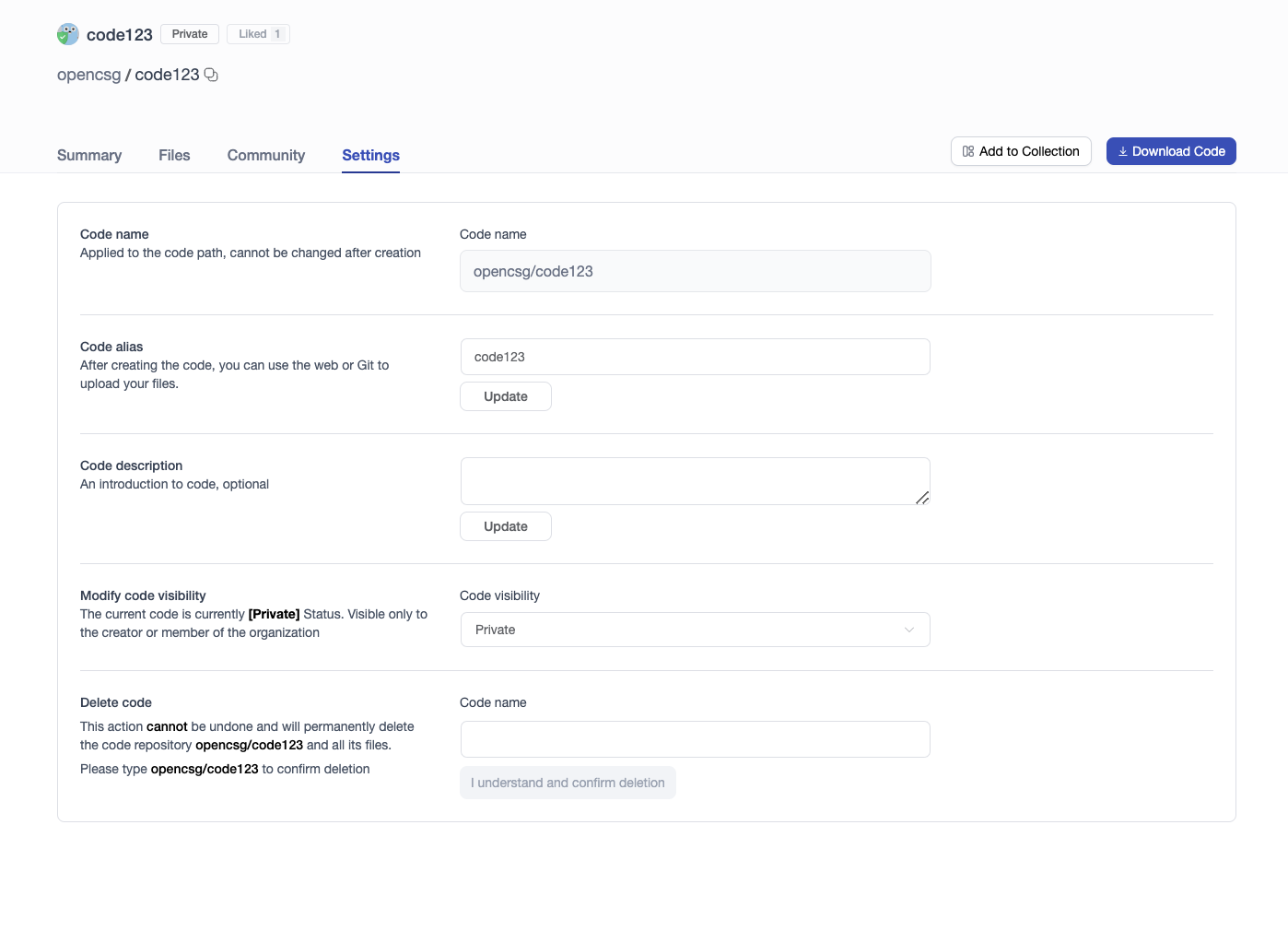
Update Code Info
- Info that cannot be modified: Code name
- Info that can be modified: Alia, description, visibility
Transfer Code Repository to Organization
Users can transfer personal code repositories directly to an organization they have joined:
- In the "Transfer Code Repository" section, select the target organization from the dropdown menu.
- Enter the current code repository name to confirm.
- Click "Confirm Transfer". Once transferred, ownership belongs to the organization, allowing members to collaborate based on their organizational roles.
Delete Code Repo
Note: When deleting a code, the user needs to enter the code name to confirm the deletion. This action cannot be undone and the code repository and all files in it will be permanently deleted.