Scenario: How a corporate legal team builds a legal assistant in AgenticHub
1. Background
Corporate legal teams often work through contract review, compliance checks, and regulation lookup, with heavy document work and high-precision retrieval.
With AgenticHub, you can quickly build a RAG (Retrieval-Augmented Generation)–powered legal assistant for clause mapping, regulation references, and draft answers, improving day-to-day efficiency.
2. Open AgenticHub
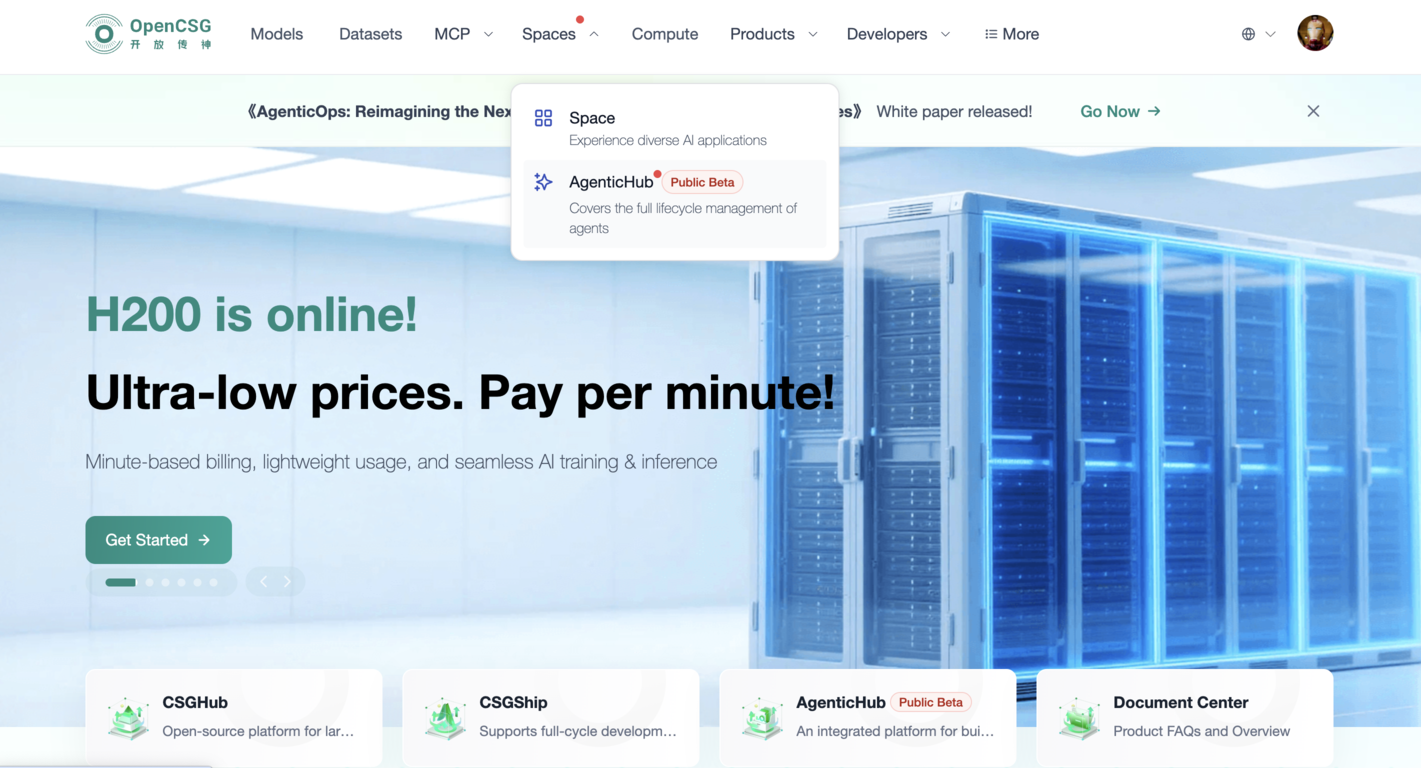
After signing in to the community, open Apps → agentichub in the top bar to enter the workspace.
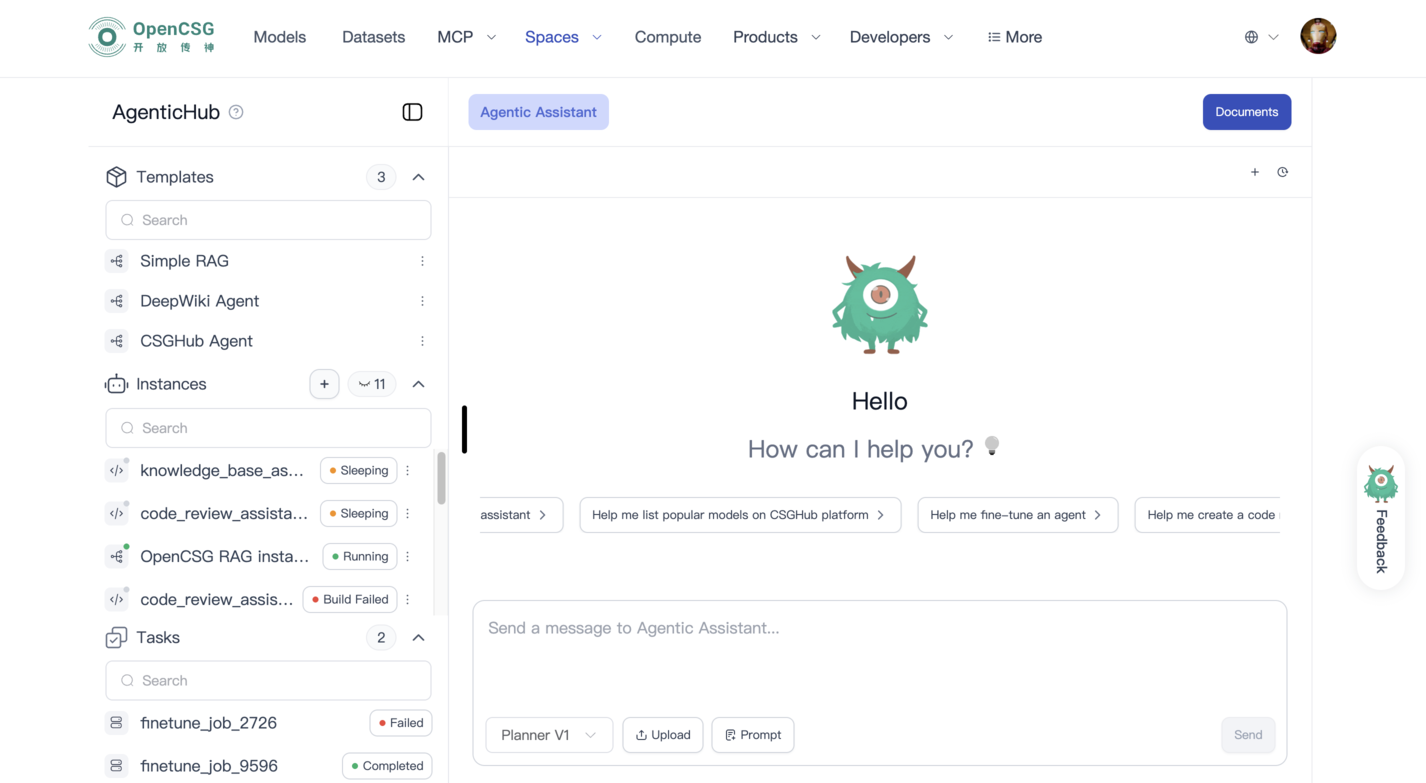
You will see templates, instances, and tasks on the left and the agent area on the right.
3. Create a legal-assistant RAG instance
The platform offers a standard legal-assistant style template as a base for RAG.
Steps:
- Open Templates on the left.
- Choose Simple RAG (or the current legal template name in the list).
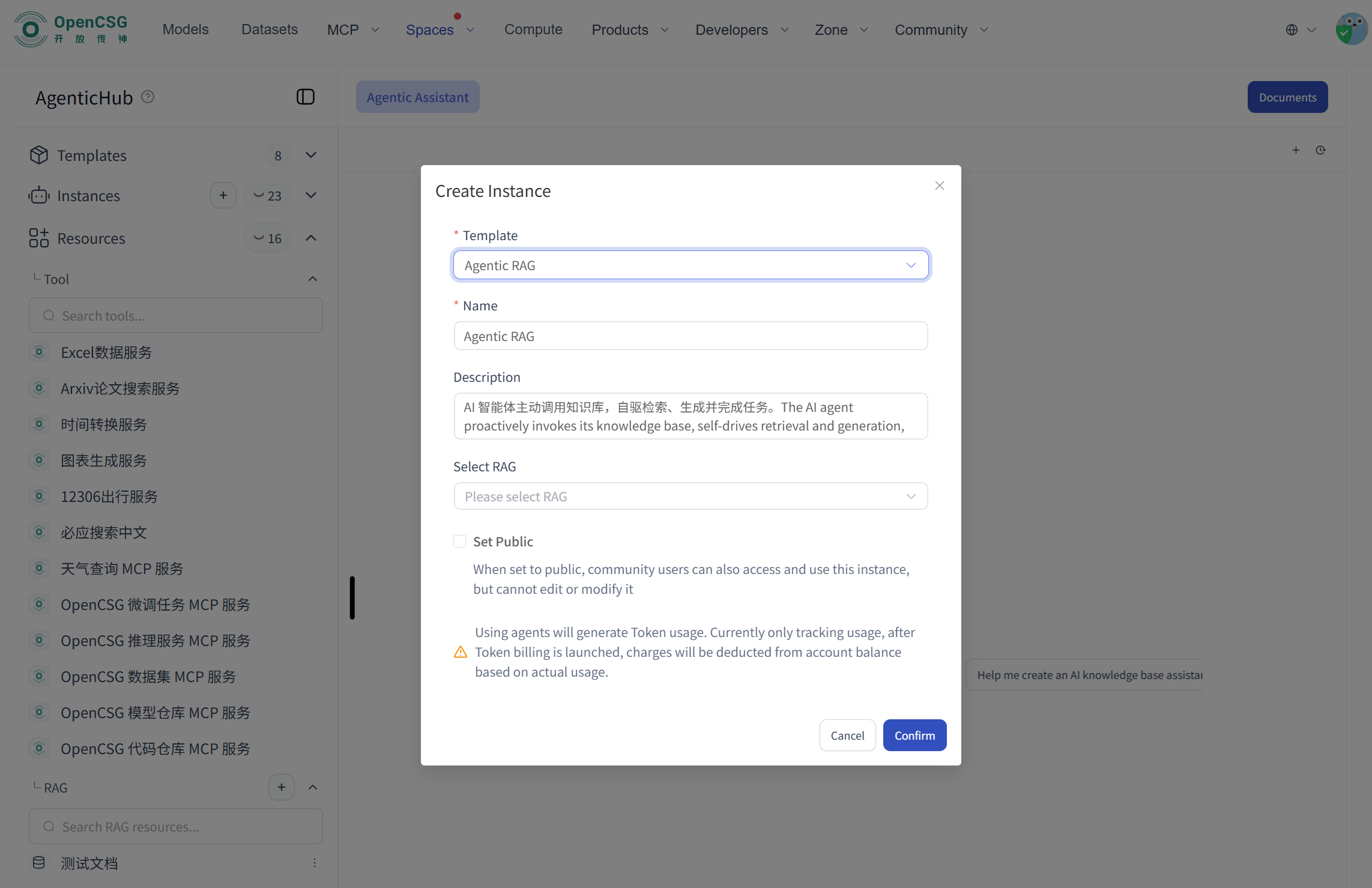
- Click Run on the template.
- Set instance name and description.
- The new instance appears under Instances.
4. Configure the knowledge base (RAG sources)
To get reliable answers, bind enterprise legal material to the instance.
Typical document types:
- Standard contract templates
- Historical contracts
- Internal compliance policies
- Statutes and regulations (e.g. labor law)
- Internal approval and policy files
Steps:
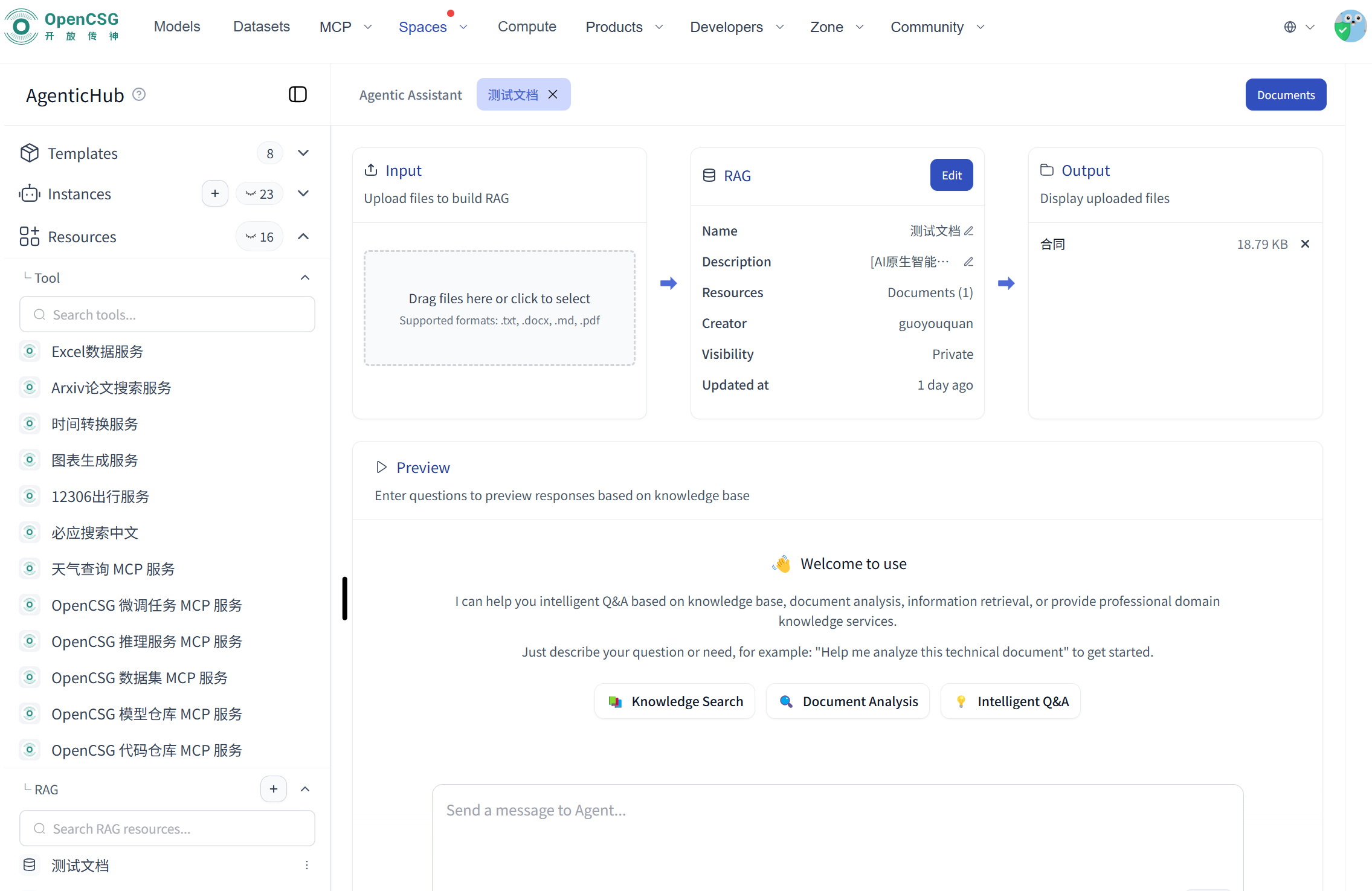
- Open the instance.
- Go to the knowledge-base settings.
- Upload files.
- Wait for parsing and embedding.
5. Test the legal assistant (RAG behavior)
When configuration is done, test in the instance chat.
Example prompt:
Please check whether this labor contract clearly restricts part-time work and list the legal basis.
The agent can:
- Retrieve and locate clauses
- Link to regulatory text
- Generate an answer
- Show references
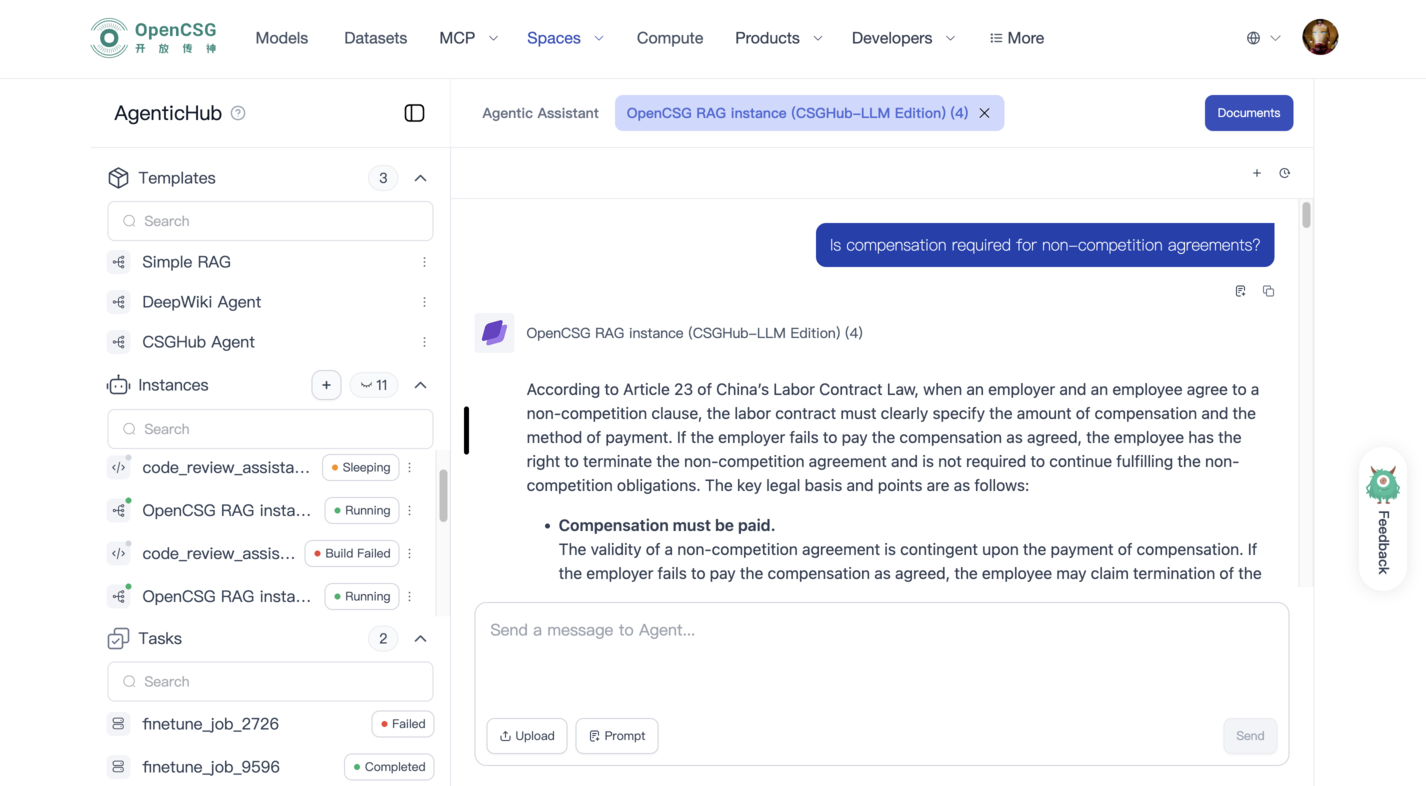
This cuts manual lookup time and keeps reasoning traceable.
6. Day-to-day legal use cases
The same instance can support:
- Clause review and key-point extraction
- Fast regulation lookup and citation
- Policy comparison
- First-pass risk surfacing
- Draft opinions and memos
- Long-term, centralized legal knowledge
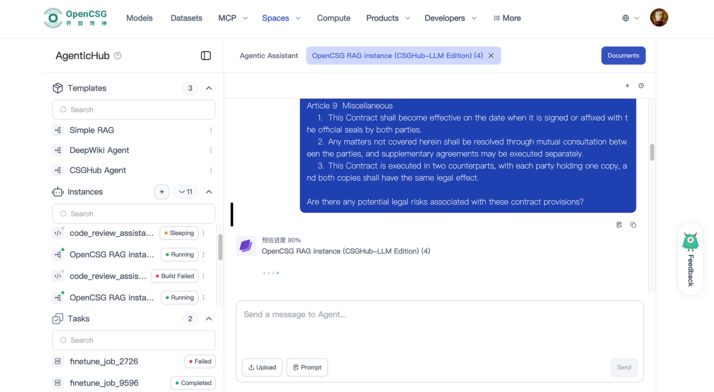
It becomes a standard tool for the legal team, reducing repeat work and speeding decisions.