Create Your Own Agent
Create an Agent
-
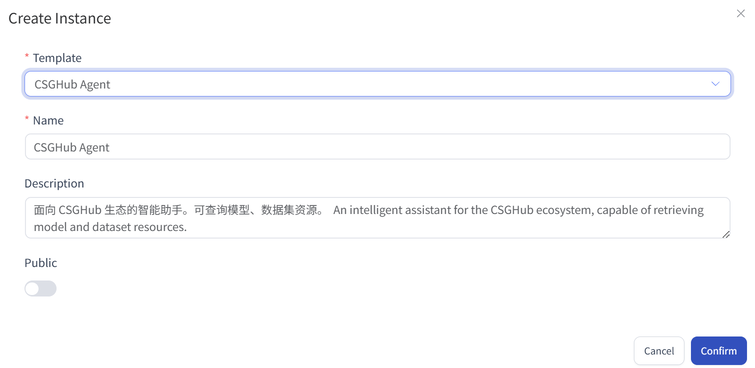
Click the “Run” button on the right side of an Agent template, or click the “+” button on the right side of an Agent instance to open the “Create Instance” panel.
-
After filling in the required information, the newly created Agent instance will appear in the Instance List for easy access and management.
Workflow Orchestration
- On the “Edit Instance” menu on the instance to open the process orchestration page, where you can design the business process by dragging and dropping.
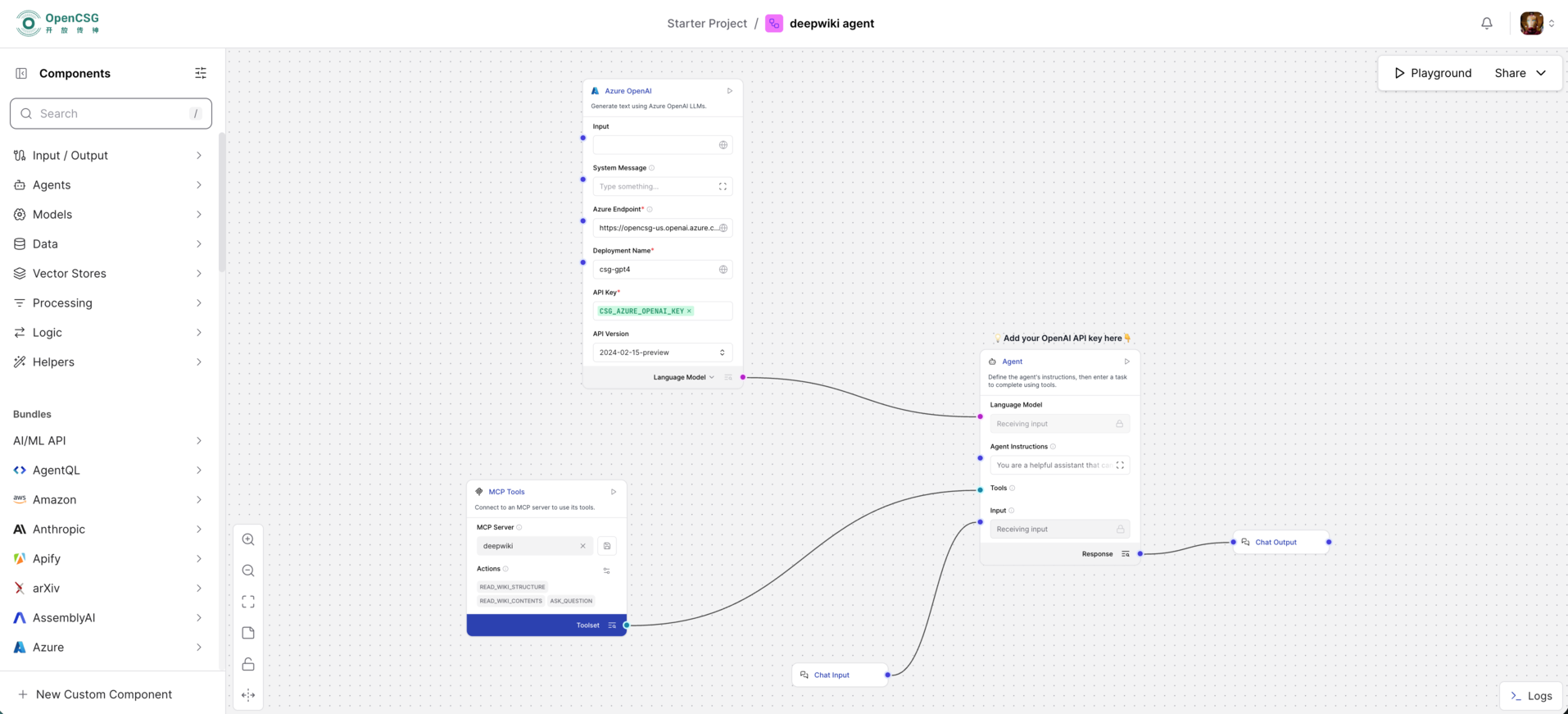
Natural language code generation example
-
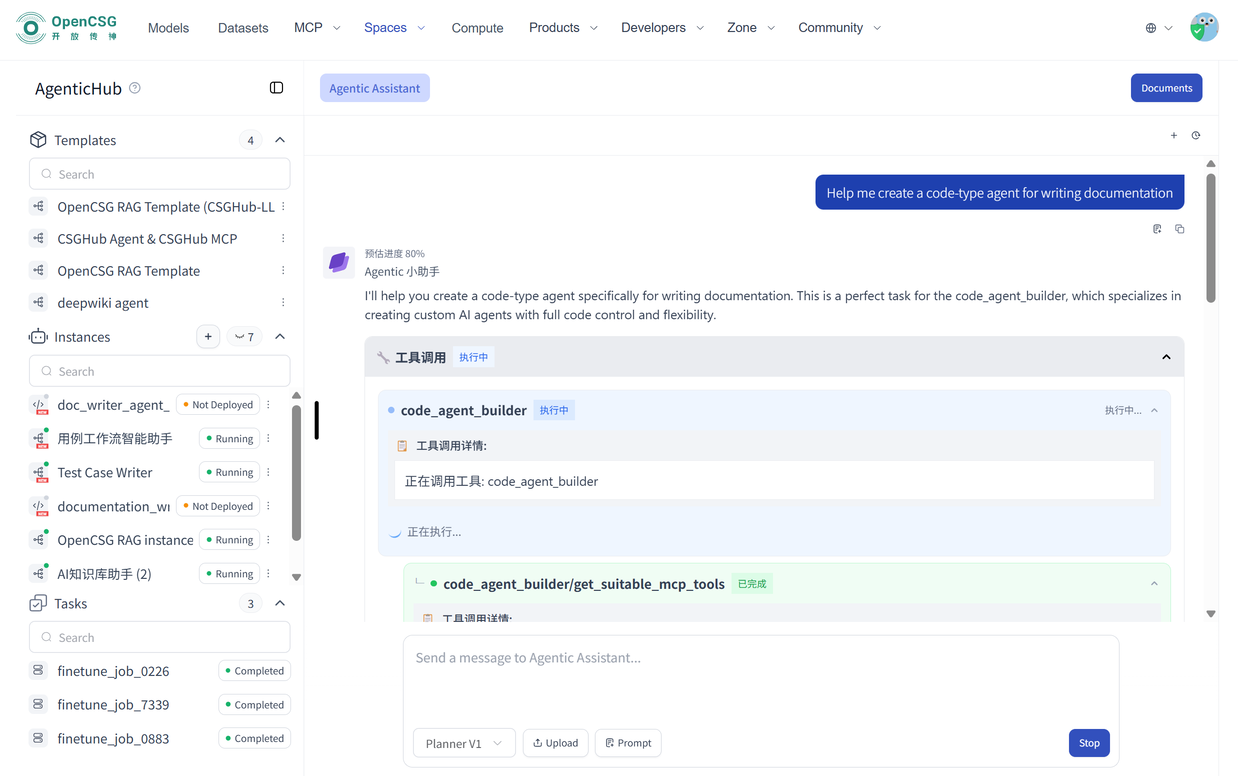
Enter “Help me create a code-type agent for XX” in the Agent Assistant and click “Send”
-
The instance will be displayed in the instance list.
Natural language-based no-code instance creation
-
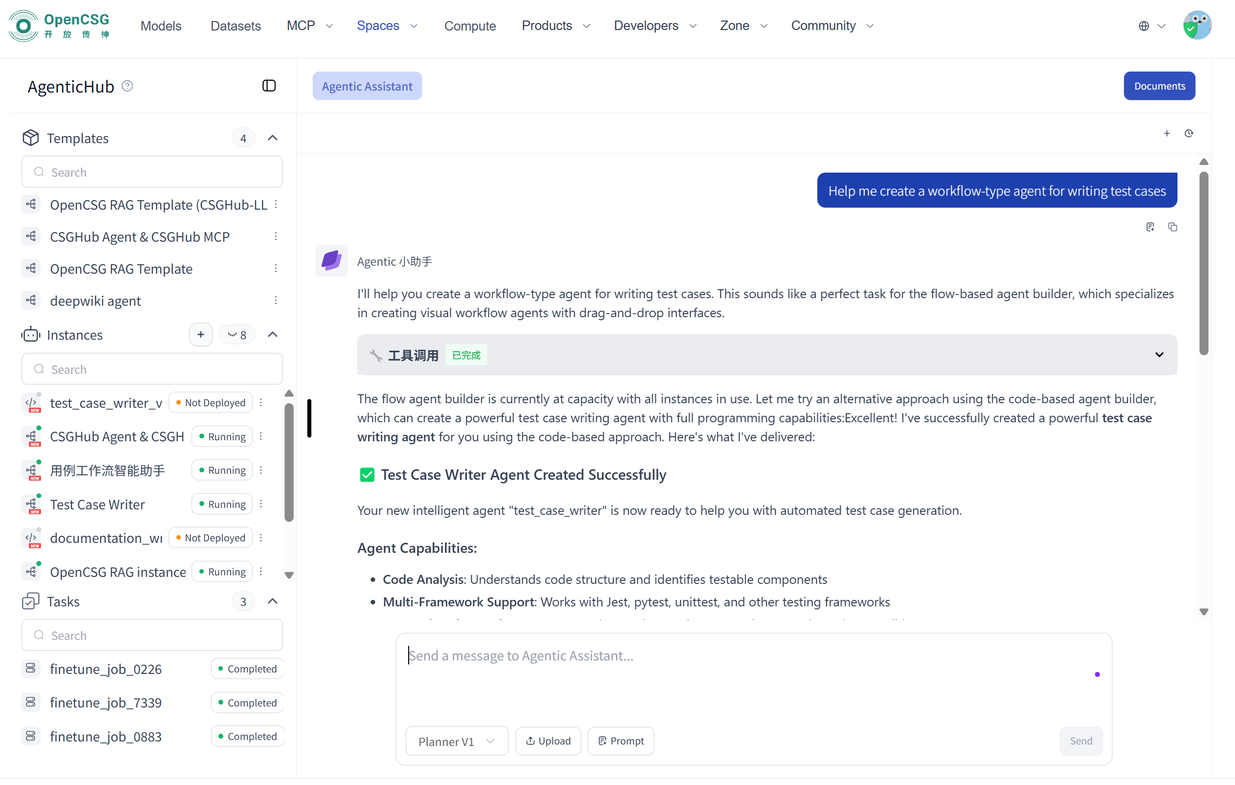
Enter “Help me create a workflow-type agent for XX” in the Agent Assistant and click “Send”
-
The instance will be displayed in the instance list.