Creating a Notebook Instance
Creating a Notebook Instance
Click on your profile avatar, select the "New Notebook" button, and you will be redirected to the creation page.
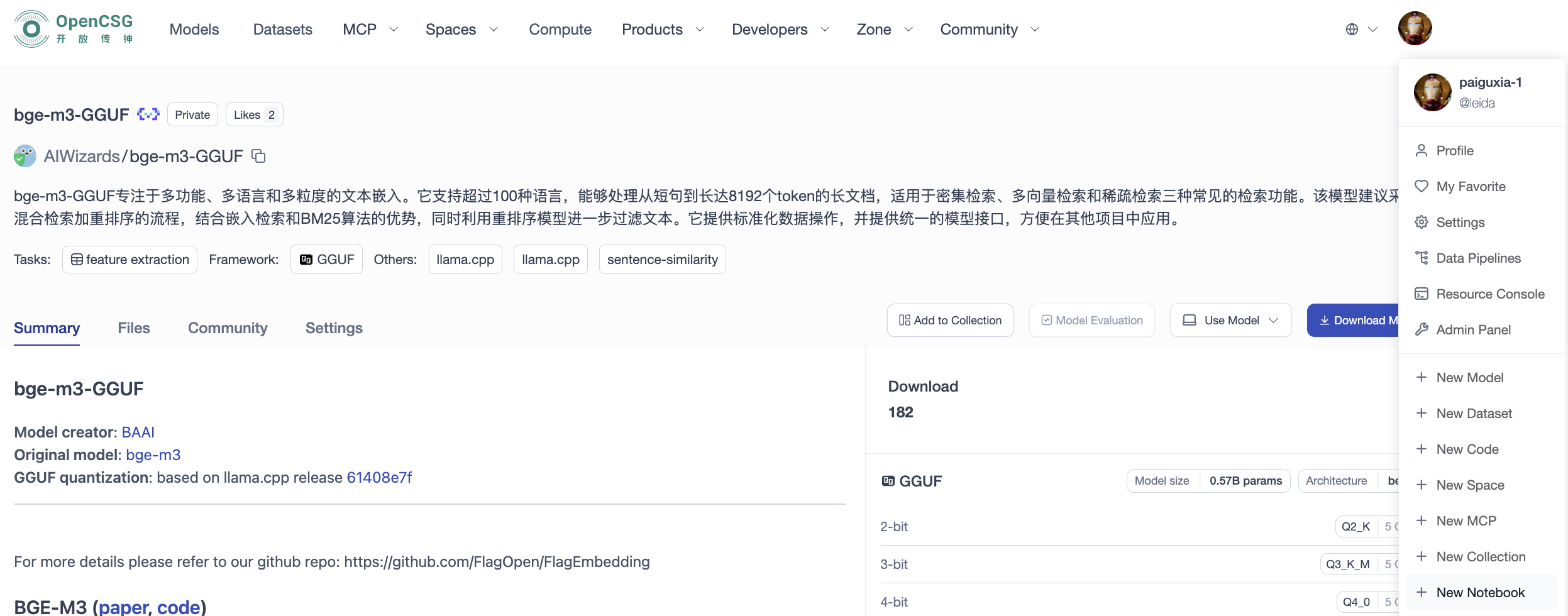
Alternatively, on the model page, click the "Use Model - Use Notebook Development" button, and you will be redirected to the creation page.

Creation Page
Enter the Notebook instance creation page, fill in the following basic information, and then click the "Create Instance" button to create.
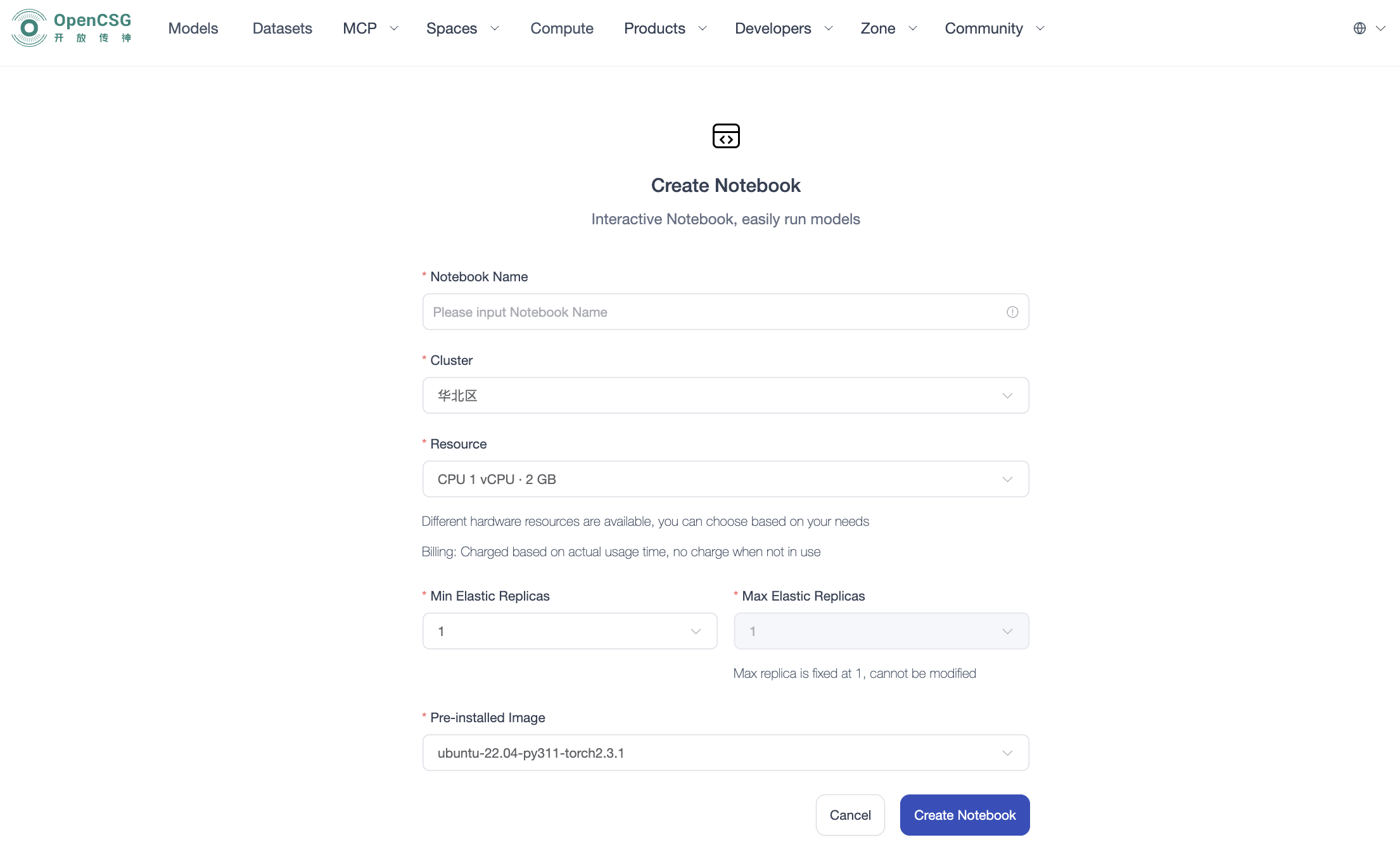
- Instance Name: Customizable, cannot be duplicated
- Region/Resource Configuration: Select computing resources for dedicated instance deployment
- Development environment: select the preinstalled image containing the required Python, framework and tools; this is not the model fine-tuning framework selector.
- Replicas: follow the range available in the form. The illustrated version fixes the maximum to one.
- Pre-installed Image: Select the pre-installed development environment image
Notebook Instance List
After creation, you can view all personally created Notebook instances in the resource console.