Editing Collection
Add Project
There are two ways to add content to a collection (models, datasets, code, and application space).
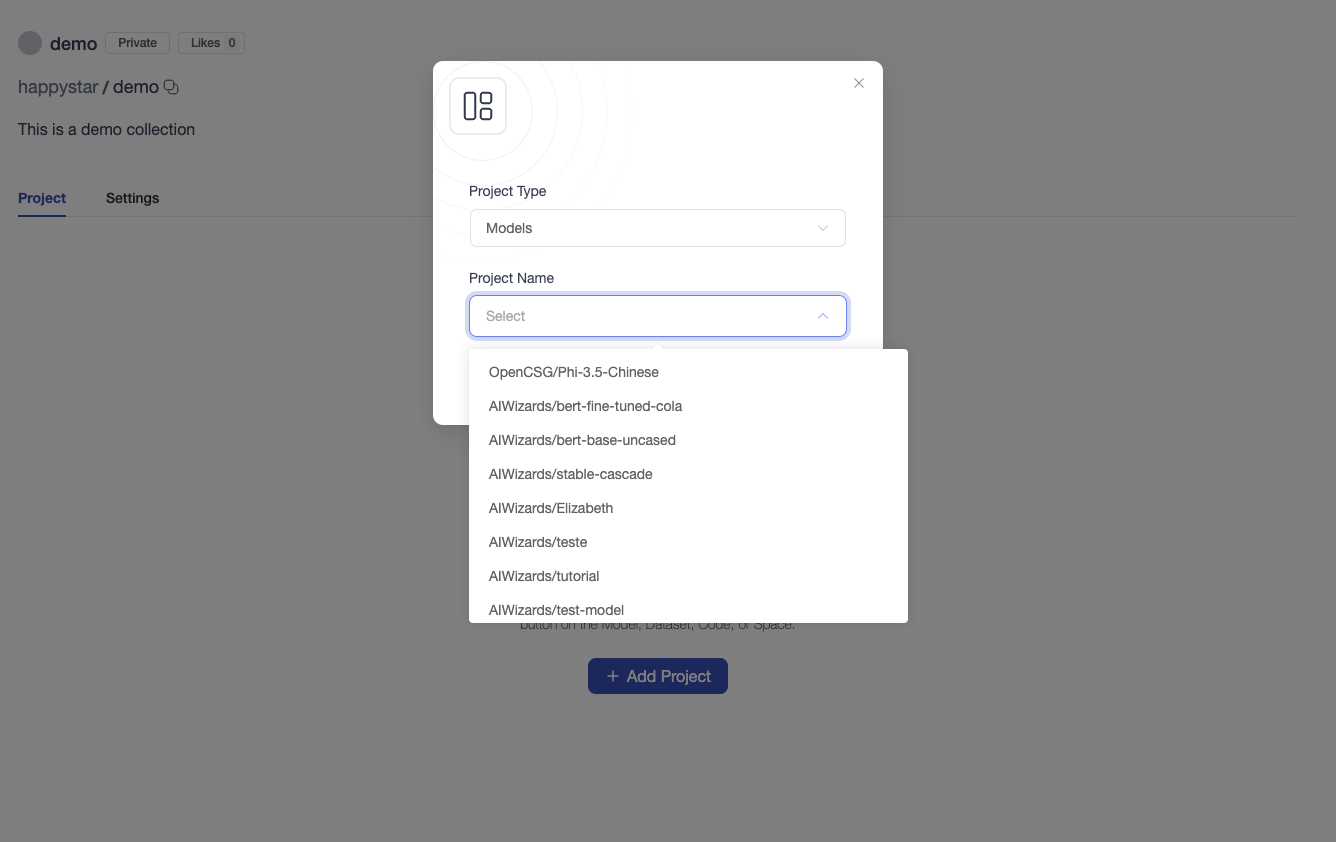
1 Add Content in Collection Page
Click "Add Project" in collection page. Select assets type and assets in dialog.
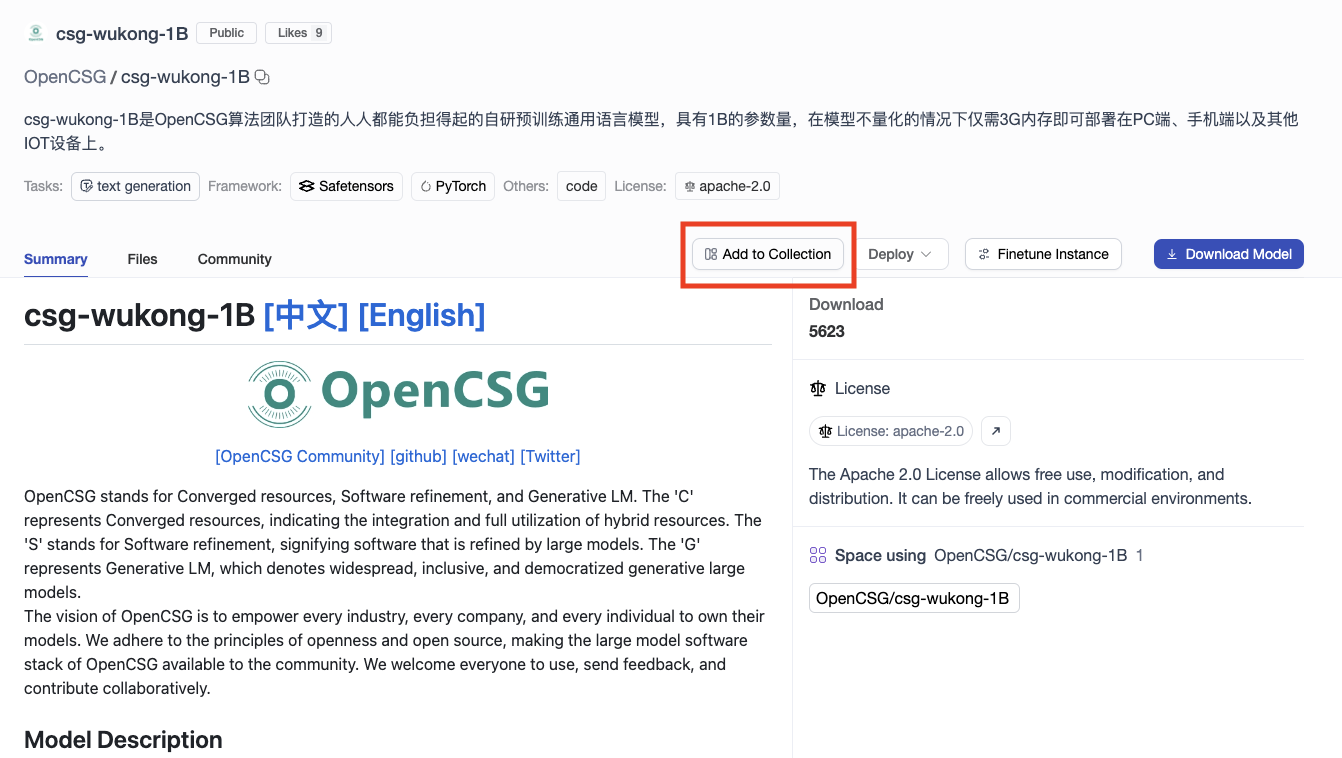
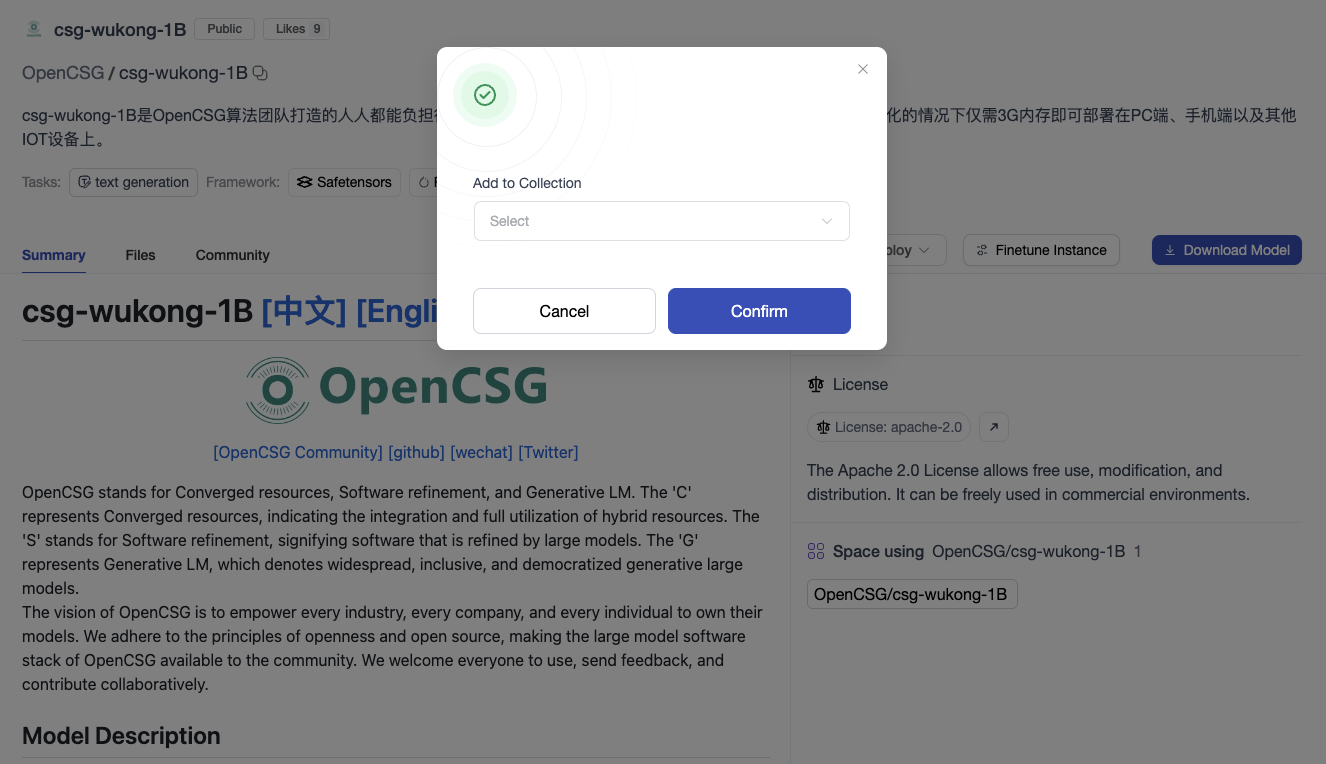
2 Add Content from Assets Page
Click "Add to Collection" in Assets(Models, DataSets, Spaces) page. Select the collection which you want to add asset to. Click "Confirm" to add the asset to the collection.
Update Info
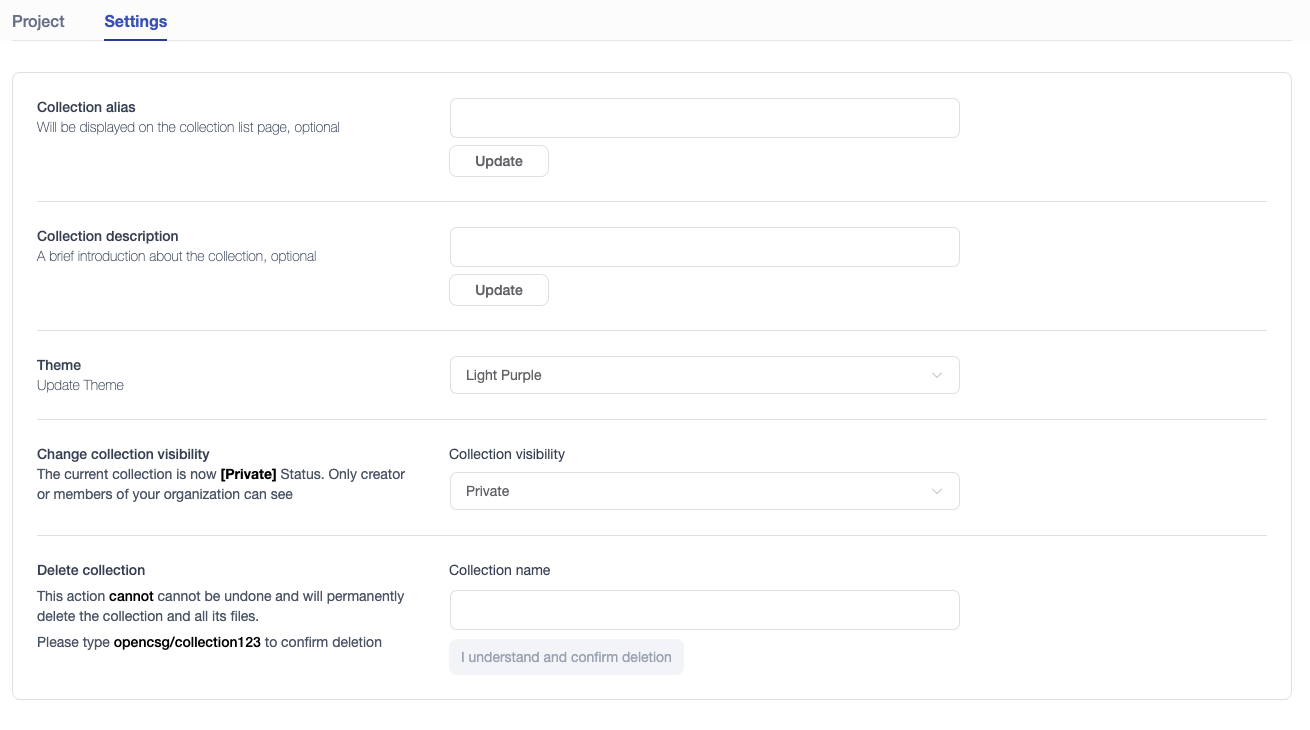
You can update information of a collection (Collection alias, description and visibility) in setting page. Also you can delete the colleciton in setting page.
Note: When deleting a collection, the user needs to enter the collection name to confirm the deletion. This action cannot be undone and the collection will be permanently deleted.